Overview
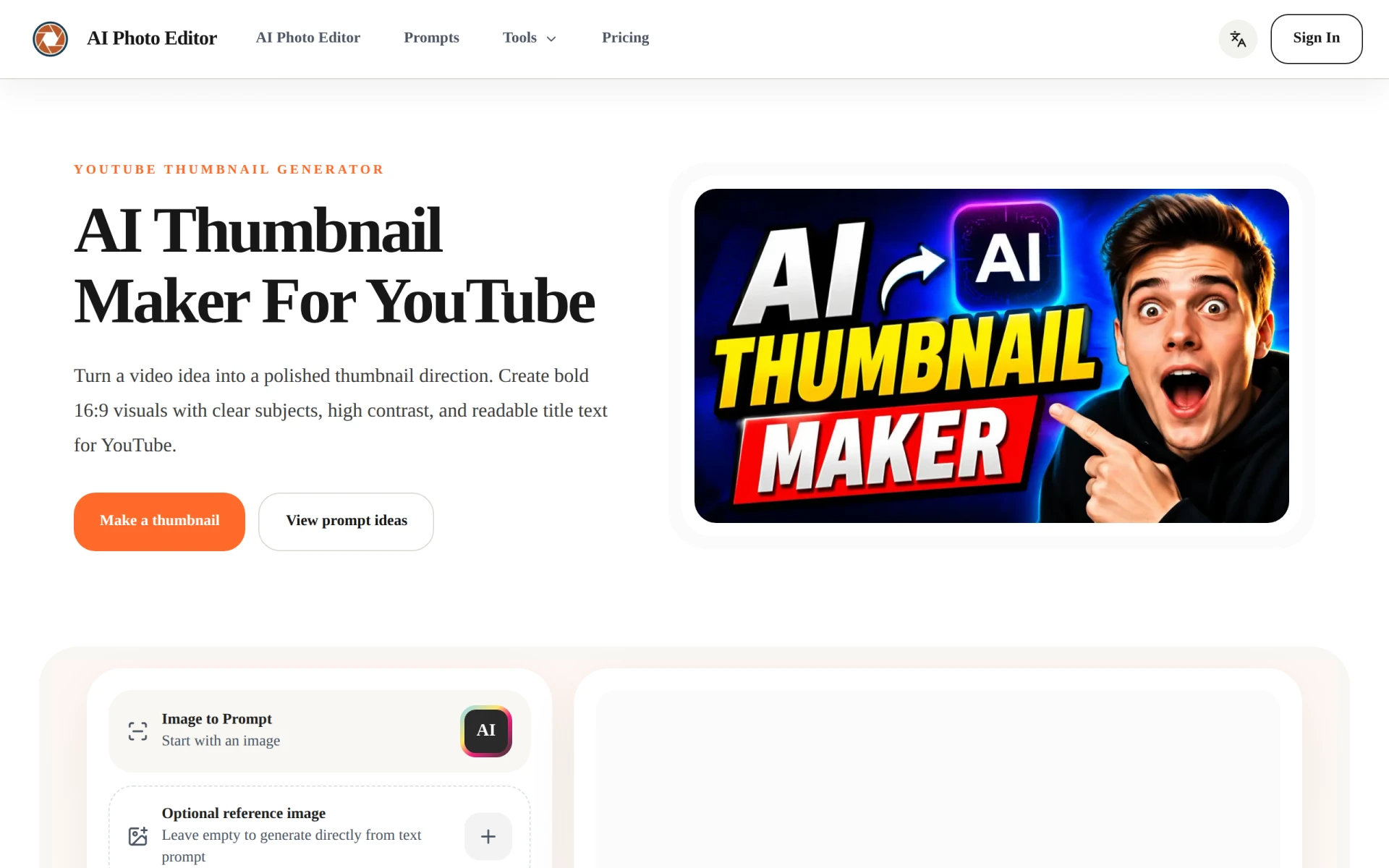
AI Thumbnail Generator is a specialized tool designed to create visually appealing YouTube thumbnails effortlessly. The primary purpose of this software is to help content creators generate thumbnails that attract viewers and increase click-through rates. By utilizing artificial intelligence, it simplifies the design process, enabling users to create striking visuals that effectively communicate the content of their videos. The tool addresses common problems faced by creators, such as a lack of design skills, time constraints, and the need for high-quality visuals that stand out in a crowded marketplace.
Key Features
- AI-Powered Thumbnail Creation
- Customizable Text Options
- Multiple Template Designs
- High-Contrast Color Schemes
- 16:9 Aspect Ratio Support
- Image Upload Capability
- Background Removal Tool
- Preview Functionality
Benefits
AI Thumbnail Generator provides several practical advantages for users. It saves time by streamlining the thumbnail creation process, allowing creators to focus on content rather than design. The AI-driven technology ensures that the thumbnails are not only attractive but also optimized for visibility, which can lead to higher engagement rates. Additionally, the user-friendly interface makes it accessible for individuals without a design background, enabling anyone to create professional-looking thumbnails quickly.
Common Use Cases
A variety of users can benefit from AI Thumbnail Generator. For instance, YouTube content creators can quickly generate thumbnails for their latest videos, ensuring they grab viewers' attention. Marketing teams may use the tool to design promotional thumbnails for webinars or product launches. Freelancers and small business owners can create custom thumbnails for their online courses or tutorials, enhancing their branding efforts. Additionally, social media managers can use it to produce catchy visuals for video content shared across platforms.
Who Should Use It
AI Thumbnail Generator is ideal for YouTube creators, marketers, and small business owners looking for an easy way to create engaging thumbnails. It is particularly suited for those who may not have advanced design skills. However, professional graphic designers or those requiring highly customized designs may find the tool lacking in advanced features or flexibility.
Pricing Overview
Pricing information for AI Thumbnail Generator is not explicitly mentioned on the website. Users are encouraged to visit the official site for potential pricing details and subscription options.
Pros
- The AI technology simplifies the thumbnail creation process for users of all skill levels.
- It offers a variety of templates that cater to different video genres.
- The tool’s design elements are tailored for high visibility and click-through rates.
- Users can upload their own images to personalize thumbnails.
- Background removal features allow for cleaner, more professional designs.
Cons
- Advanced customization options may be limited for professional designers.
- The pricing structure is unclear, which may deter potential users seeking transparency.
- Some users may find the initial learning curve for AI features a bit steep.
Conclusion
AI Thumbnail Generator offers a practical solution for creating eye-catching YouTube thumbnails without the need for extensive design experience. While it excels in providing a user-friendly interface and AI-driven features, potential users should consider their specific design needs and the clarity of pricing options before committing. Overall, it serves as a valuable tool for content creators aiming to enhance their video engagement through professional-looking thumbnails.