Overview
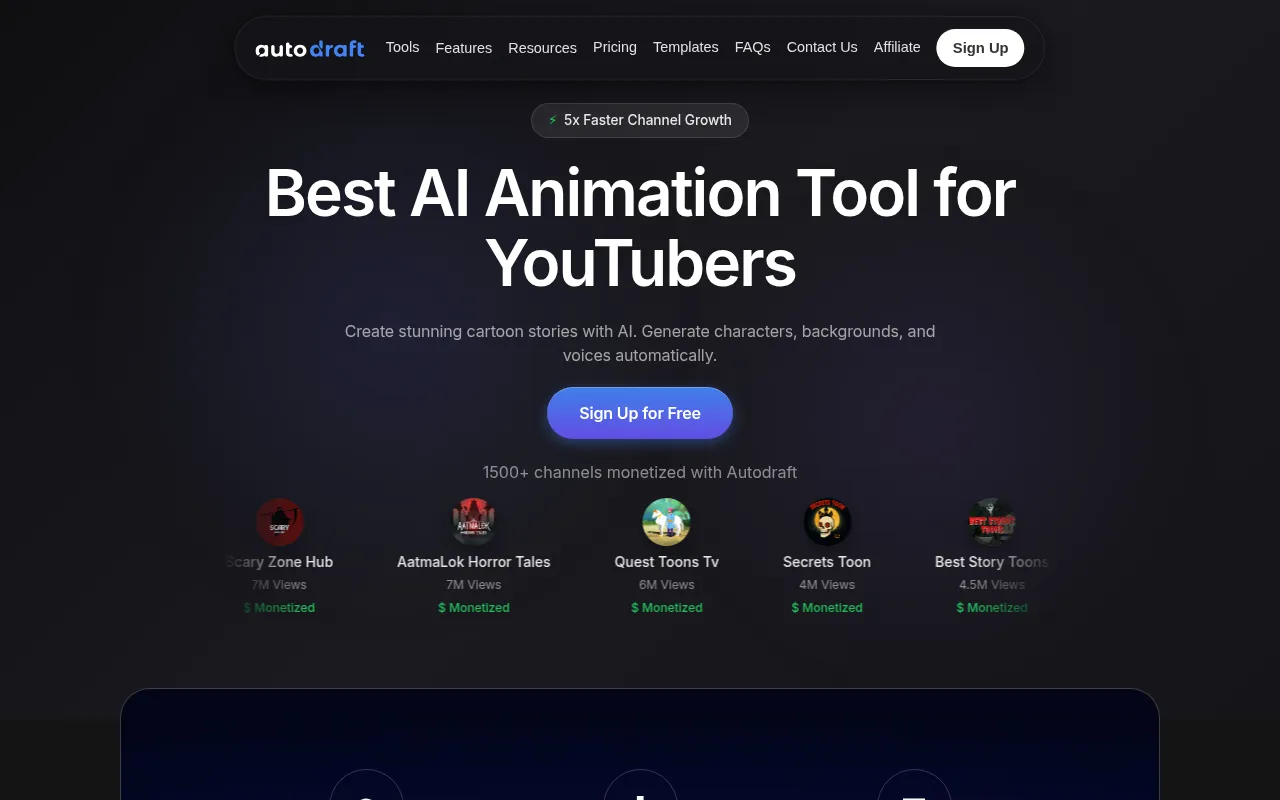
Autodraft is a graphic design tool designed specifically for creating stunning 2D animations and digital art. Its primary purpose is to empower users to transform their ideas into visually appealing content without requiring advanced artistic skills. By providing an easy-to-use interface and various creative tools, Autodraft addresses the common problem of accessibility in digital art creation, allowing users from diverse backgrounds to explore their creativity.
Key Features
- 2D Animation Creation
- Character Design Tools
- Background Customization
- Voiceover Integration
- User-friendly Interface
- Pre-designed Templates
- Export Options for Multiple Formats
- Cloud Storage for Projects
- Collaboration Features
- Step-by-step Tutorials
Benefits
Autodraft offers practical advantages by simplifying the animation and art creation process. The user-friendly interface allows even those with minimal experience to create high-quality animations quickly. The platform's extensive library of templates and assets saves time, making it easier for users to focus on their creative vision. Additionally, features like voiceover integration enhance the storytelling aspect of animations, providing users with a comprehensive toolset to produce engaging content.
Common Use Cases
Autodraft is ideal for various scenarios, such as:
- A small business owner creating promotional animations for social media.
- An educator designing animated lessons to engage students.
- A freelancer animating characters for a client project.
- A hobbyist experimenting with digital art in their spare time.
- A marketing team producing animated ads or explainer videos.
Who Should Use It
Autodraft is best suited for individuals and teams looking to create digital art and animations without extensive technical knowledge. Ideal users include small business owners, educators, freelancers, and marketing professionals. However, it may not be the best fit for professional animators or those seeking highly advanced features that cater to complex animation needs.
Pricing Overview
Pricing information is currently unavailable directly on the website, which may require users to inquire for specific details.
Pros and Cons
-
The intuitive interface makes it easy for beginners to start creating right away.
-
Features a wide range of templates and pre-designed assets to enhance creativity.
-
Voiceover integration adds a dynamic element to animations.
-
Collaboration capabilities facilitate teamwork on projects.
-
Step-by-step tutorials help users learn how to maximize the tool effectively.
-
Limited advanced features may not meet the needs of professional animators.
-
Pricing details are unclear, which could be a barrier for potential users.
-
Some users may find the asset library insufficient for specific artistic needs.
Conclusion
In summary, Autodraft is a valuable tool for those looking to create engaging 2D animations and digital art easily. While it excels in accessibility and user-friendliness, it may not cater to users with advanced animation requirements. Overall, if you are looking for an approachable platform to express your creativity, Autodraft is worth exploring.