

Curate Click
Paid
Curate Click helps developers discover and curate the best tools and products through a hand-reviewed collection.
 B
B
BoxWatch simplifies server monitoring with a single dashboard for tracking CPU, memory, disk, and network metrics.
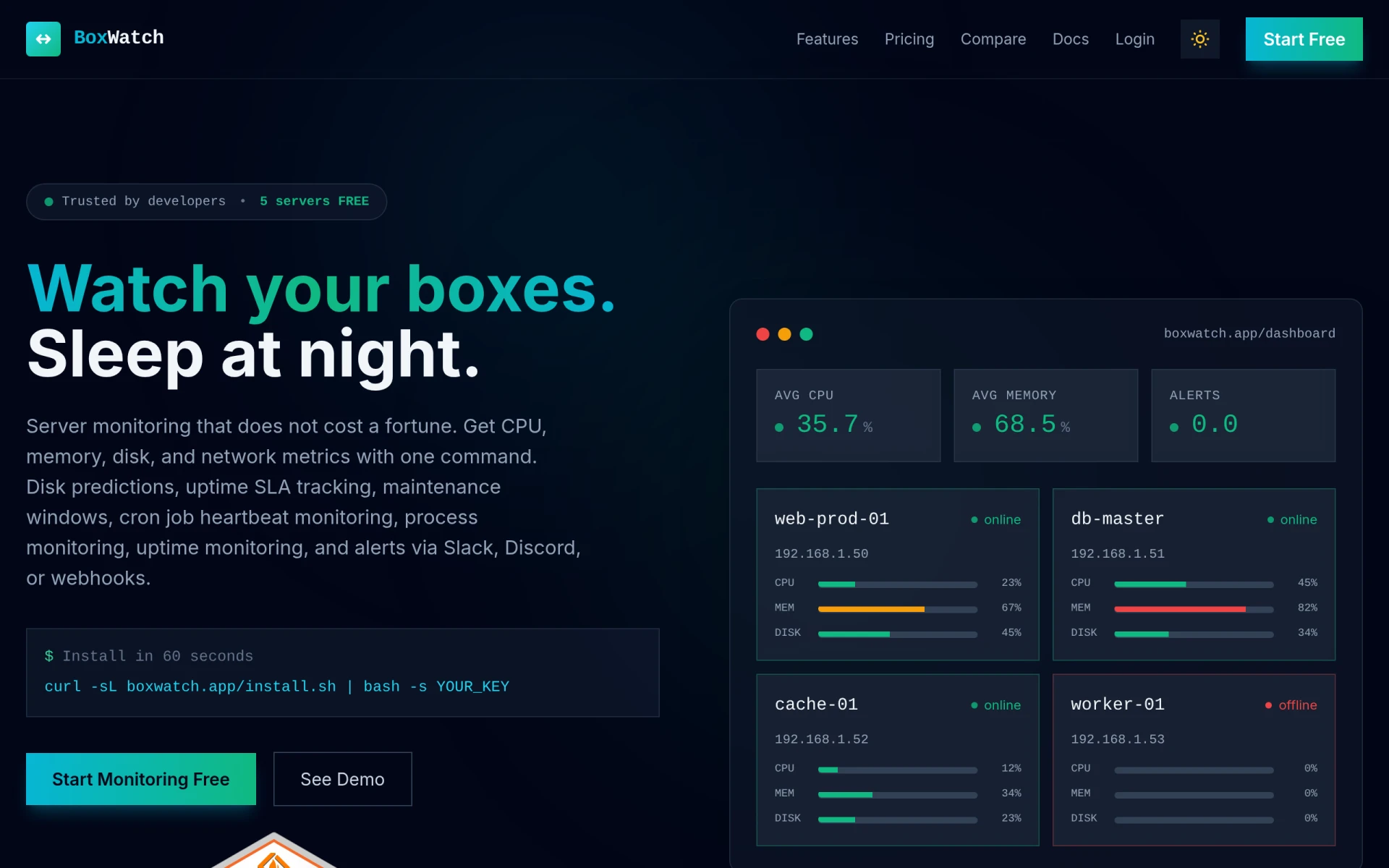
BoxWatch is a server monitoring tool designed to help developers and system administrators oversee multiple servers from a unified dashboard. Its primary purpose is to provide real-time metrics on CPU, memory, disk usage, and network performance, allowing users to proactively manage their server environments. The software addresses common challenges such as server downtime, resource allocation inefficiencies, and lack of visibility into system performance, enabling users to maintain optimal server health and performance.
BoxWatch provides practical advantages by simplifying the server monitoring process, which can save time and reduce operational costs. The ability to monitor multiple servers from a single interface allows for easier management and quicker responses to issues. Users can anticipate potential problems with disk usage predictions and ensure that uptime commitments are met through SLA tracking. The integration with popular communication tools like Slack and Discord enhances collaboration among team members during incident response.
Developers use BoxWatch to monitor application servers and ensure they are performing optimally. System administrators can track resource usage across multiple servers to identify under or over-utilized resources. Teams managing cloud infrastructure can utilize BoxWatch for continuous monitoring, ensuring that their services remain reliable. The tool is also beneficial for DevOps teams that require instant alerts when server performance deviates from expected norms. For businesses with critical uptime needs, BoxWatch provides the tools necessary to meet SLA requirements effectively.
BoxWatch is ideal for developers, system administrators, and IT teams who need a straightforward solution to monitor server performance. It is particularly beneficial for small to medium-sized businesses that may not have extensive resources for server management. However, larger enterprises with complex infrastructure may find that they require more advanced features or custom solutions that BoxWatch may not offer. Additionally, users who prefer highly customizable monitoring solutions might find BoxWatch's simplicity limiting.
BoxWatch offers a freemium model with the ability to monitor up to five servers for free. Additional pricing details for larger deployments are not specified on the website, and users are encouraged to reach out for more information.
In summary, BoxWatch presents a user-friendly option for server monitoring that caters to developers and system administrators seeking a straightforward solution. While it excels in providing essential monitoring features and ease of use, larger organizations or those with more complex needs may need to consider additional alternatives. Overall, BoxWatch is a valuable tool for businesses looking to maintain server performance and reliability without excessive costs.
Curate Click helps developers discover and curate the best tools and products through a hand-reviewed collection.
CS2 Real-Time Odds API by mwasoft provides developers with access to real-time sports odds for integration into applications.
The collaborative design tool for teams. Design, prototype, and collaborate on UI/UX in real-time.
AI-powered code completion. Write code faster with intelligent suggestions in any programming language.
Atomic Bot is an open-source automation tool designed to simplify the execution of OpenClaw workflows.
AI2sql is an AI-powered SQL query builder that enables users to generate SQL queries from natural language without prior SQL knowledge.
Weekly roundup of new AI tools, launches, and trending software. No spam — unsubscribe anytime.
No credit card required · Cancel anytime
Weekly roundup of new AI tools, launches, and trending software. No spam — unsubscribe anytime.
No credit card required · Cancel anytime