Overview
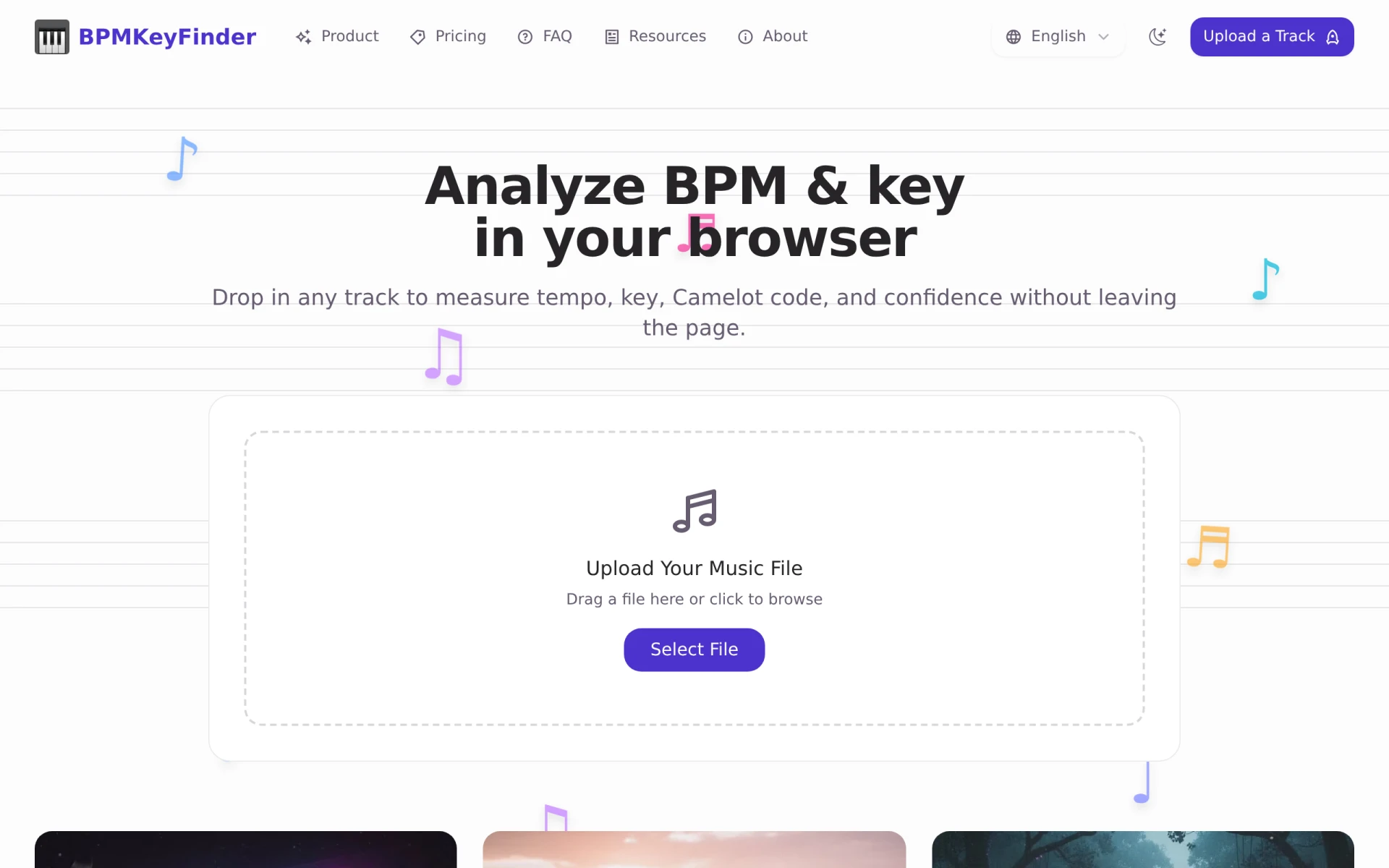
BPMKeyFinder is a web-based application designed to analyze audio files for their beats per minute (BPM) and musical key. This tool is particularly tailored for DJs, music producers, and audio editors who require accurate tempo and key information to enhance their music mixing and production processes. It addresses the common challenge of identifying these musical elements without the need to download software or upload files to potentially insecure servers.
Key Features
- BPM detection: Accurately measure the tempo of any audio file.
- Key detection: Identify the musical key of the track, aiding in harmonic mixing.
- Camelot code identification: Provides Camelot notation for easy compatibility with other tracks.
- In-browser functionality: Analyze tracks directly in your web browser without needing downloads.
- Privacy-centric approach: All analyses are performed locally to ensure user privacy.
- Fast processing: Quick analysis without the need for queuing or waiting.
- User-friendly interface: Simple and intuitive interface for easy navigation.
- Support for various audio formats: Accepts multiple file types for analysis.
Benefits
Using BPMKeyFinder offers several practical advantages, especially for music professionals. The ability to analyze tracks quickly and privately allows DJs to prepare setlists without worrying about data security. Additionally, identifying the BPM and key ensures seamless transitions between songs during live performances. The Camelot code feature simplifies harmonic mixing, enabling DJs to create more cohesive sets. By using a browser-based tool, users can avoid the hassle of software installation and updates, making it accessible anytime and anywhere.
Common Use Cases
BPMKeyFinder can be effectively used in various scenarios:
- A DJ preparing for a live performance can analyze their playlist to ensure smooth transitions.
- Music producers may use the tool to determine the BPM and key of sample tracks for remixing.
- Music educators can introduce students to concepts of tempo and key in a practical manner.
- Audio editors working on film or video projects can quickly verify track compatibility for sound design.
Who Should Use It
BPMKeyFinder is ideal for:
- DJs looking for a quick and reliable way to analyze their music library.
- Music producers needing accurate tempo and key information for their projects.
- Music educators teaching concepts related to rhythm and harmony.
- Audio editors seeking to manage soundtracks efficiently.
However, it may not be the best fit for those requiring advanced features like multi-track analysis or integration with digital audio workstations (DAWs).
Pricing Overview
BPMKeyFinder is available for free, with no hidden costs or subscription fees.
Pros and Cons
Pros:
- The tool is free and requires no installation.
- It prioritizes user privacy by running analyses locally in the browser.
- Quick and efficient analysis of BPM and musical key.
- User-friendly interface makes it accessible for beginners.
- Supports a wide range of audio file formats.
Cons:
- Limited to browser functionality, which may be less powerful than dedicated software.
- May not provide advanced features required by professional music producers.
- The accuracy can depend on the quality of the audio file being analyzed.
Conclusion
BPMKeyFinder serves as a useful tool for anyone involved in music, from DJs to producers and educators. Its focus on privacy and accuracy makes it a reliable choice for analyzing BPM and musical key. While it may lack some advanced functionalities found in dedicated software, its free and user-friendly nature offers significant value for casual users and professionals alike. Users should evaluate their specific needs to determine if BPMKeyFinder meets their requirements effectively.