Overview
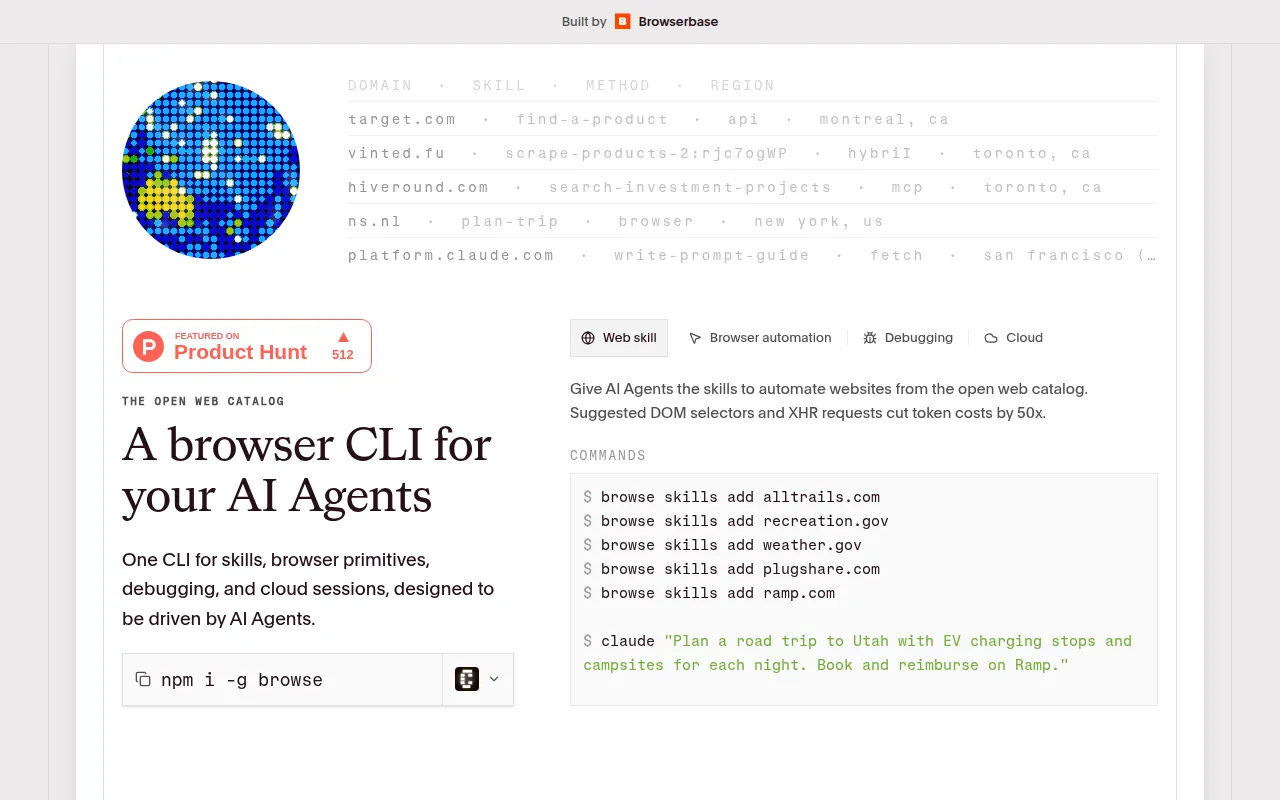
browse.sh is a comprehensive platform designed to provide an open catalog of browser automation skills tailored for various websites. Its primary purpose is to enable users to find reusable SKILL.md recipes that teach AI agents how to accomplish specific tasks online. By utilizing the browse CLI, users can easily install these skills to enhance their automation capabilities.
The software addresses the growing need for efficient online task automation, particularly for businesses and developers looking to save time and reduce manual effort. With browse.sh, users can leverage pre-built automation skills to navigate websites, extract data, and perform actions without the need for extensive programming knowledge.
Key Features
- Open catalog of browser automation skills
- Reusable SKILL.md recipes for task automation
- browse CLI for easy installation and management
- Suggested DOM selectors to simplify automation
- XHR request handling to cut token costs significantly
- Commands for adding skills to various websites
- Debugging support for troubleshooting automation tasks
- Cloud session management for remote automation execution
Benefits
One of the main advantages of browse.sh is its accessibility. Users can quickly find and implement automation skills without needing deep technical expertise. This lowers the barrier to entry for businesses wanting to adopt browser automation in their workflows. Additionally, the ability to cut token costs by 50x through optimized XHR requests can lead to significant savings for organizations with high-volume automation needs.
Furthermore, browse.sh allows for flexibility in automation tasks, as users can customize and extend the capabilities of their AI agents. By providing a rich catalog of skills, it empowers users to adapt the software to various business requirements, enhancing overall workflow efficiency.
Common Use Cases
browse.sh can be effectively employed in various scenarios. For instance, a marketing team might use it to automate the process of gathering competitive data from multiple websites. Similarly, a customer support team could utilize the platform to track and retrieve customer reviews from different sources.
Developers may also find value in using browse.sh for testing web applications by automating interactions with the UI. Educational institutions could use the software to scrape data from online resources for research purposes. These examples illustrate how browse.sh facilitates diverse applications across multiple industries.
Who Should Use It
Ideal users of browse.sh include developers, marketing teams, and businesses that require efficient data collection and task automation. It is particularly suited for organizations looking to streamline their processes without heavy investments in custom software development. However, it may not be the best fit for individuals or teams that require highly specialized automation capabilities that fall outside the provided catalog of skills.
Pricing Overview
Pricing information for browse.sh is currently unavailable. Users interested in the software should consult the official website for any updates.
Pros and Cons
Pros
- Offers a user-friendly interface for accessing automation skills.
- Provides a significant reduction in token costs compared to traditional methods.
- Supports a wide range of websites through its skills catalog.
- Enables customization of automation tasks with minimal coding.
- Facilitates easy debugging and session management for users.
Cons
- Limited availability of pricing information may be a drawback for potential users.
- Users might face challenges if the required automation skills are not present in the catalog.
- The effectiveness of automations may vary based on website structure and complexity.
Conclusion
In conclusion, browse.sh presents a valuable solution for users seeking to automate browser tasks efficiently. With its open catalog of skills and the ability to reduce operational costs, it holds potential for various business applications. However, users should consider their specific automation needs and whether the available skills meet those requirements. As pricing information is currently not disclosed, potential users are encouraged to explore the platform further to assess its fit for their needs.