Overview
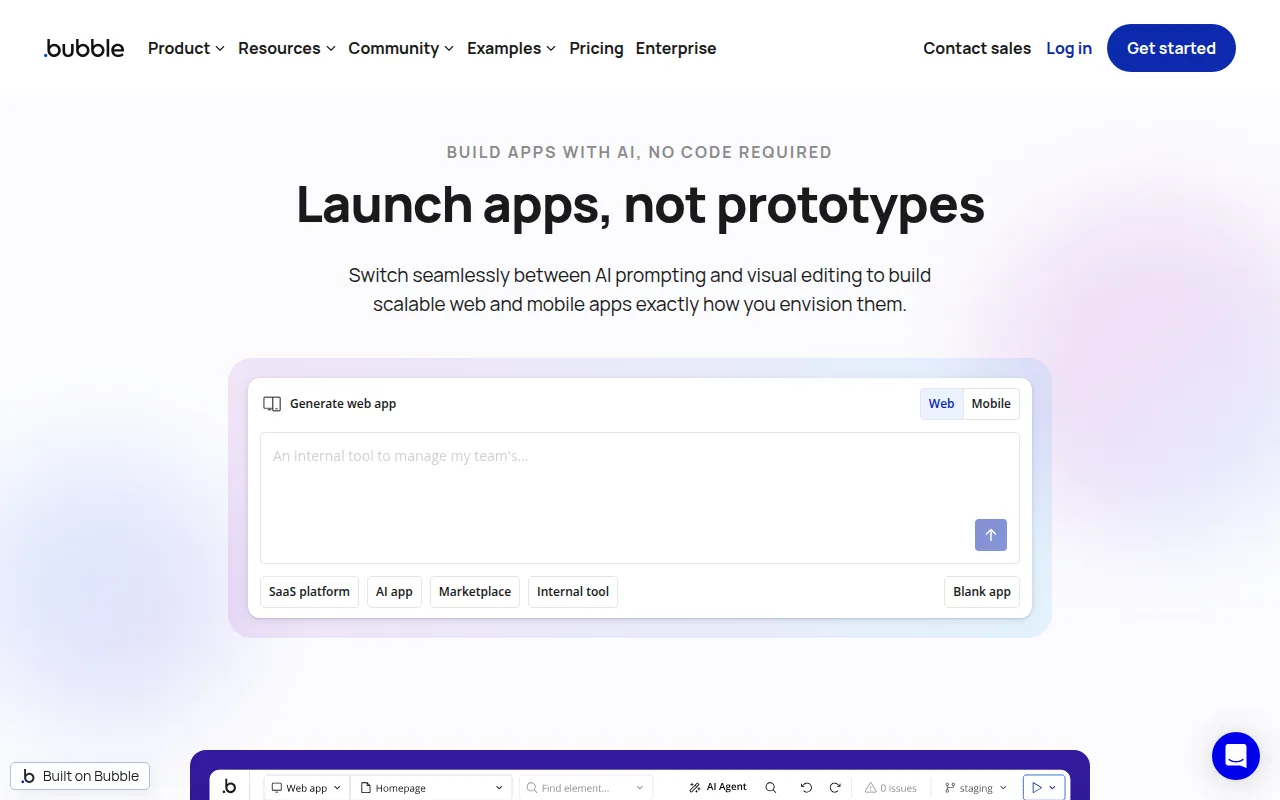
Bubble is a no-code app builder designed to empower users to create fully functional web and mobile applications without needing any coding skills. By leveraging a visual interface, Bubble allows users to build applications quickly, making it an ideal tool for entrepreneurs and businesses looking to transform ideas into reality. The primary purpose of Bubble is to simplify the app development process, enabling users to focus on design and functionality rather than complex coding.
One of the main problems Bubble solves is the steep learning curve associated with traditional programming. Users can create applications with a drag-and-drop interface, which accelerates the development process and lowers the barrier to entry for non-technical users. Additionally, Bubble supports the integration of databases and logic without requiring users to write code, further streamlining the app-building experience.
Key Features
- Visual Design Interface
- Drag-and-Drop Functionality
- Responsive Design Capabilities
- Database Management
- Logic and Workflow Automation
- User Authentication and Privacy Settings
- API Integration Support
- Built-in Hosting and Deployment Options
- Customizable Templates
- Collaboration Tools for Teams
- SEO Optimization Tools
- Version Control
- User Analytics and Tracking
- Payment Gateway Integration
- Multi-language Support
- Mobile Optimization
- Plugin Marketplace
- Custom Domain Support
- User Feedback Collection Tools
Benefits
Bubble provides significant advantages for users looking to develop applications without extensive coding knowledge. The visual design interface allows users to see immediate changes in real-time, facilitating easier modifications and iterations. This flexibility enables faster prototyping, which can be crucial for startups needing to validate their ideas quickly.
By automating workflows and integrating databases seamlessly, Bubble eliminates many manual processes, saving time and reducing the risk of errors. The platform also offers built-in hosting, which simplifies deployment and maintenance, allowing users to focus on their core business objectives. Furthermore, with features like user authentication and privacy settings, Bubble helps ensure that applications are secure and compliant with data protection regulations.
Common Use Cases
Bubble is commonly used in various scenarios, including:
- Startups looking to validate their business ideas through rapid application development.
- Small businesses wanting to create customer-facing applications without hiring developers.
- Entrepreneurs building MVPs to attract investors or gather user feedback.
- Non-profits developing tools for community engagement and outreach.
- Educational institutions creating learning management systems or student portals.
Who Should Use It
Bubble is ideal for entrepreneurs, small business owners, and product managers who want to develop applications without technical expertise. Freelancers and consultants can also benefit from Bubble's capabilities when delivering projects for clients. However, larger enterprises or highly technical teams may find that they need more customization than Bubble can provide, making it less suitable for those scenarios.
Pricing Overview
Bubble offers a freemium model, allowing users to start building applications for free, with tiered pricing options available for additional features and resources. Specific pricing details can be obtained directly from the Bubble website.
Conclusion
In conclusion, Bubble stands out as a versatile no-code app builder that bridges the gap between non-technical users and the app development process. Its visual interface and comprehensive feature set make it a valuable tool for a wide range of users, from startups to small businesses. While it provides many advantages, potential users should assess whether its capabilities align with their specific needs, particularly if they require advanced customization or integration features. Overall, Bubble represents a compelling option for those looking to bring their app ideas to life with minimal coding knowledge.