Overview
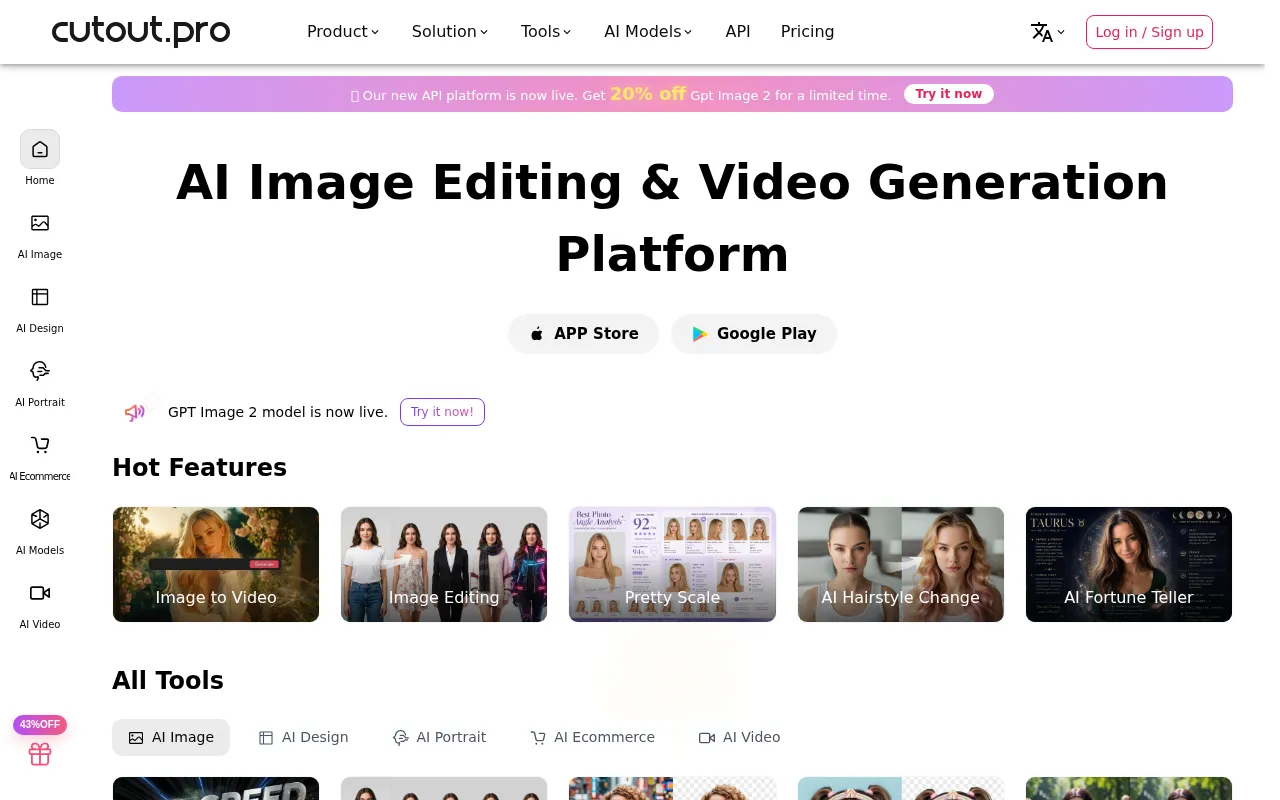
Cutout Pro is a comprehensive visual design platform tailored for users seeking advanced AI-driven tools for photo and video editing. Its primary purpose is to simplify the image editing process, allowing users to perform complex tasks such as background removal, image restoration, and graphic design with ease. By automating tedious editing processes, Cutout Pro helps users save time and streamline their workflows.
The software effectively addresses common challenges faced by designers, marketers, and content creators, such as the need for quick and efficient editing solutions. Users can effortlessly transform their design ideas into high-quality visual assets, making it a valuable tool for various industries.
Key Features
- AI Background Removal
- Image Restoration
- Graphic Design Tools
- AI Image Generation
- Text-to-Speech Functionality
- Video Editing Capabilities
- Photo Enhancement and Upscaling
- Object Removal
- Photo to Sketch Conversion
- Colorization of Black and White Images
- Blur Background Effects
- Meme Generation
- Passport Photo Maker
- E-commerce Product Poster Creation
- AI Design Generator
- AI Greeting Card Maker
- AI Portrait Art Generator
- AI Wall Art Generator
Benefits
Cutout Pro offers several practical advantages for users looking to enhance their visual content. The AI-powered tools significantly reduce the time required for complex editing tasks, allowing users to focus on creativity rather than technical details. By automating background removal and other repetitive tasks, users can increase their productivity and output. The platform's intuitive interface also makes it accessible for users with varying levels of design experience.
Additionally, Cutout Pro supports users in generating diverse types of visual content, which is especially beneficial for marketing teams and social media managers who need to create engaging visuals regularly.
Common Use Cases
Cutout Pro is ideal for a range of scenarios, including:
- A photographer needing to quickly remove backgrounds from images for client presentations.
- A small business owner creating promotional materials for social media.
- A graphic designer requiring tools for rapid prototyping of visual assets.
- An online retailer wanting to enhance product images for their e-commerce store.
- A content creator producing engaging videos with edited images and graphics.
Who Should Use It
Cutout Pro is best suited for graphic designers, photographers, marketers, and social media managers who need efficient and effective image editing tools. It can also benefit small to medium-sized businesses that require high-quality visual content without the need for extensive design skills.
However, it may not be the ideal choice for professional designers who rely on advanced features and customizability found in higher-end software. Users seeking a more traditional, detailed editing experience may find Cutout Pro's automated features limiting.
Pricing Overview
Pricing information for Cutout Pro is not readily available on their website.
Pros
Cutout Pro provides a user-friendly interface that is easy to navigate. The platform offers a comprehensive suite of AI-powered editing tools that streamline the editing process. Users can achieve high-quality results quickly, saving time on repetitive tasks. The diverse range of features caters to various design needs, making it versatile. The automatic background removal feature is particularly effective, enhancing workflow efficiency.
Cons
The software may lack some advanced features found in traditional editing software. Users with specific, high-level editing needs might find the automation limiting. The pricing model is not transparent, which may deter potential users. Some users may experience a learning curve due to the variety of features available. The reliance on AI may sometimes result in less precision compared to manual editing techniques.
Conclusion
In summary, Cutout Pro is a valuable tool for individuals and teams seeking efficient AI-driven solutions for image and video editing. While it offers numerous strengths in automation and ease of use, it may not fully meet the needs of professional designers requiring advanced capabilities. Users should weigh these factors to determine if Cutout Pro aligns with their specific editing requirements.