Overview
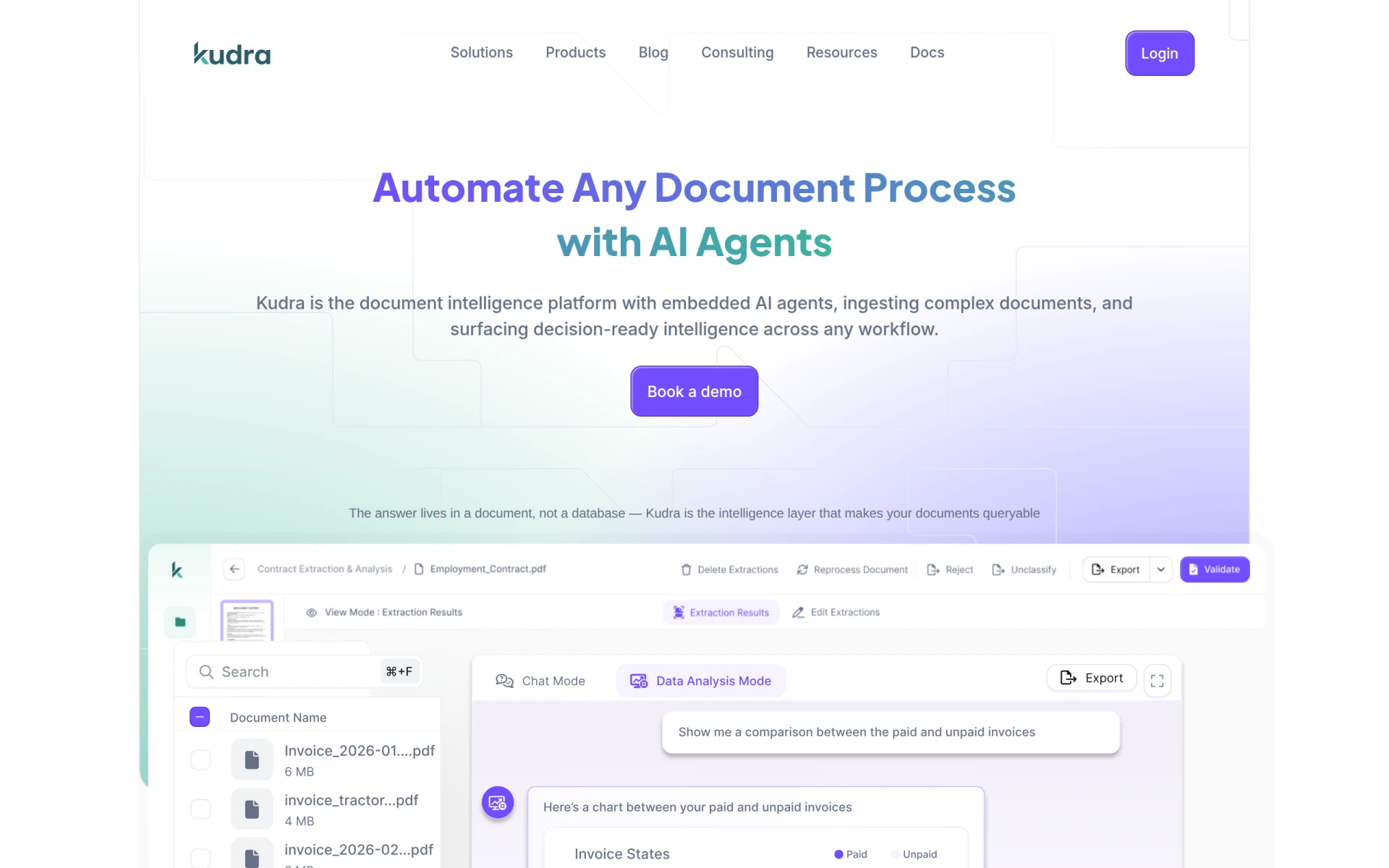
Kudra is an AI-driven document automation tool designed to streamline the processing of various document types for businesses. Its primary purpose is to reduce manual effort and enhance operational efficiency by automating repetitive tasks such as data extraction, document classification, and processing workflows. Kudra addresses challenges associated with time-consuming document handling, error-prone manual data entry, and the need for faster turnaround times in document-intensive operations.
Key Features
- Document Classification: Automatically categorize documents based on content.
- Data Extraction: Extract relevant data from documents efficiently and accurately.
- Workflow Automation: Automate document-related workflows to save time and reduce errors.
- Integration Capabilities: Connect with existing systems and applications for seamless data transfer.
- Template Management: Create and manage templates for consistent document processing.
- Multi-Format Support: Handle various document formats, including PDFs, Word documents, and more.
- AI-Powered Insights: Utilize AI to derive insights from document data for informed decision-making.
- User-Friendly Interface: Navigate the software easily with an intuitive design.
Benefits
Kudra provides substantial business value by reducing the time and cost associated with document management. By automating repetitive tasks, organizations can reallocate human resources to more strategic activities, thereby increasing productivity. The software minimizes the risk of human error in data entry and document processing, enhancing accuracy and compliance. Additionally, Kudra's ability to integrate with existing tools allows businesses to leverage their current technology stack while improving overall efficiency.
Common Use Cases
Kudra is particularly useful in several scenarios, including:
- A legal firm using Kudra to automate the extraction of key information from contracts and legal documents, thereby speeding up the review process.
- An insurance company implementing Kudra to classify claims documents automatically, reducing the time taken to process claims.
- A healthcare provider utilizing the software to manage patient records by automating data entry from forms, which improves workflow and patient care.
Who Should Use It
Kudra is ideal for businesses that handle large volumes of documents and are looking to streamline their document processing workflows. This includes sectors such as legal, healthcare, finance, and insurance. However, smaller organizations with limited document processing needs or those with very simple document workflows may not find the full capabilities of Kudra necessary.
Pricing Overview
Pricing information for Kudra is not publicly available at this time. Interested users are encouraged to visit the Kudra website for more details or to inquire about pricing options.
Conclusion
Kudra offers a robust solution for businesses looking to automate their document processing. While it provides significant benefits in terms of efficiency and accuracy, potential users should assess their specific needs and consider whether the investment aligns with their operational goals. Overall, Kudra stands out as a practical choice for organizations aiming to enhance their document management processes.