Overview
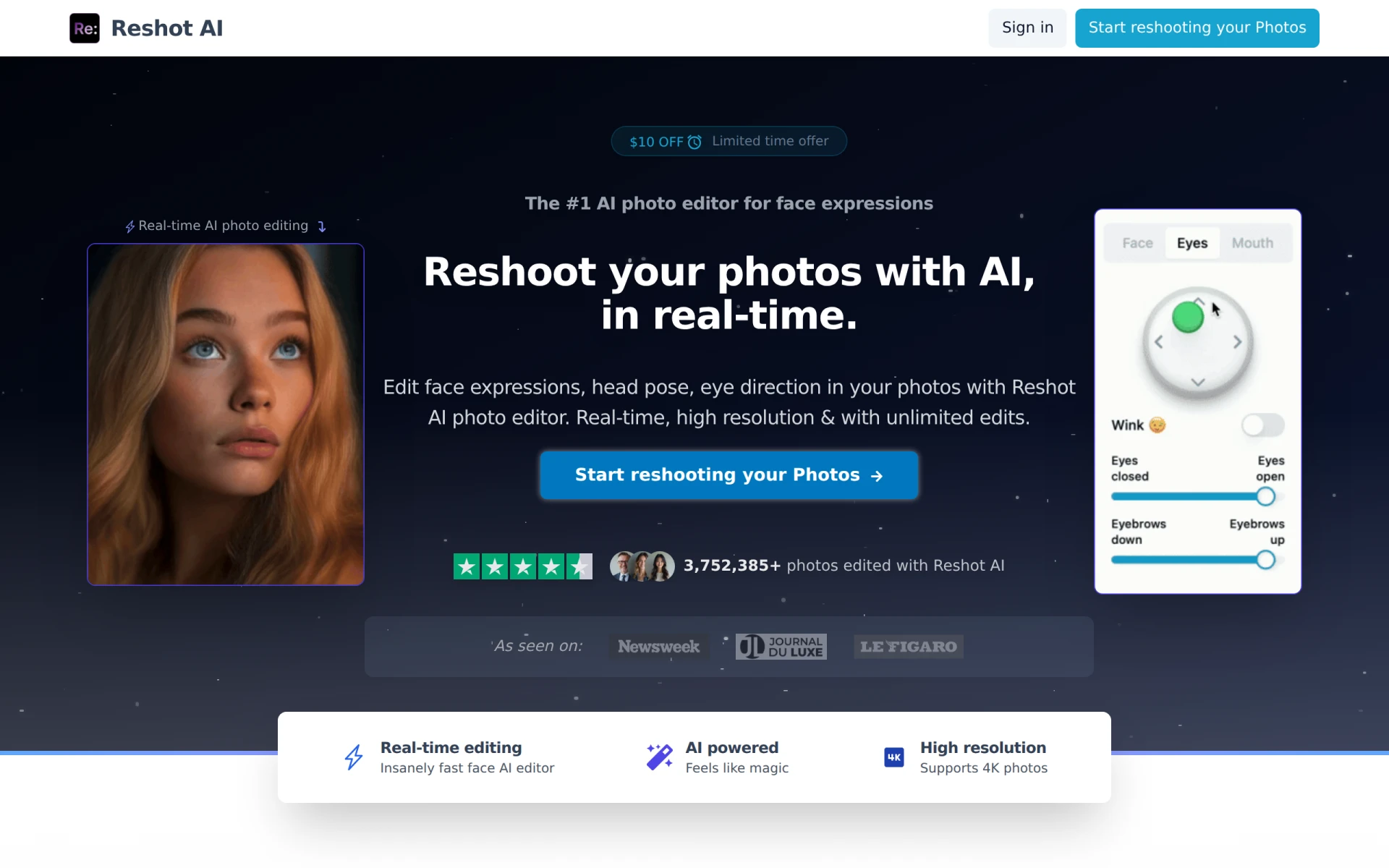
Reshot AI is an innovative online tool designed for AI face editing, focusing on enhancing photographs with the ability to change facial expressions, head poses, and eye direction. Its primary purpose is to provide users with a seamless and efficient way to retouch faces in photos, making it especially useful for photographers, social media influencers, and professionals who require high-quality images. With its real-time editing capabilities, Reshot AI addresses common problems associated with traditional photo editing, such as time-consuming adjustments and limitations in facial retouching.
Key Features
- Real-time AI editing
- Unlimited edits for photos
- High-resolution output supporting 4K images
- Intuitive interface for ease of use
- Control over head pose adjustments
- Customizable eye direction settings
- Variety of facial expressions to choose from
- Support for multiple file formats
Benefits
Reshot AI offers practical advantages by enabling users to quickly edit their photos without the need for advanced editing skills. The real-time editing feature significantly reduces the time spent on photo retouching, allowing users to focus on creativity rather than technical adjustments. By providing high-resolution outputs, it ensures that the final images maintain quality, making it suitable for professional presentations and marketing materials. The flexibility to customize various aspects of facial images empowers users to create tailored results that match their vision.
Common Use Cases
Reshot AI can be particularly beneficial in several scenarios, including:
- A photographer needing to adjust facial expressions in a portrait shoot to convey specific emotions.
- A social media manager who wants to enhance profile pictures for branding purposes.
- Influencers seeking to perfect their photos for posts and advertisements.
- Creative teams working on marketing campaigns that require precise facial expressions in promotional materials.
- Individuals editing personal photos for special occasions or online profiles.
Who Should Use It
Reshot AI is ideal for photographers, social media influencers, marketing professionals, and anyone looking to enhance their images with ease. However, it may not be the best fit for users who prefer comprehensive editing tools with extensive features beyond facial editing, or those who require batch processing capabilities for large volumes of images.
Pricing Overview
Pricing details for Reshot AI are not explicitly provided, but interested users are encouraged to visit the official website for current offers and subscription options.
Conclusion
In summary, Reshot AI is a powerful tool for anyone looking to enhance facial features in photographs. Its real-time editing capabilities, high-resolution outputs, and user-friendly interface make it a valuable addition to the toolkit of photographers and marketers. While it excels in facial editing, users seeking more extensive editing features may need to explore additional tools. Overall, it stands out in the niche of AI face editing tools, offering significant value for targeted use cases.