



Consile
Freemium
Consile is an all-in-one team operations platform that integrates tasks, attendance, leave, and HR functions in a secure workspace.
 S
S
SheetAI.app enhances Google Sheets with AI capabilities, allowing users to generate formulas and automate tasks effortlessly.
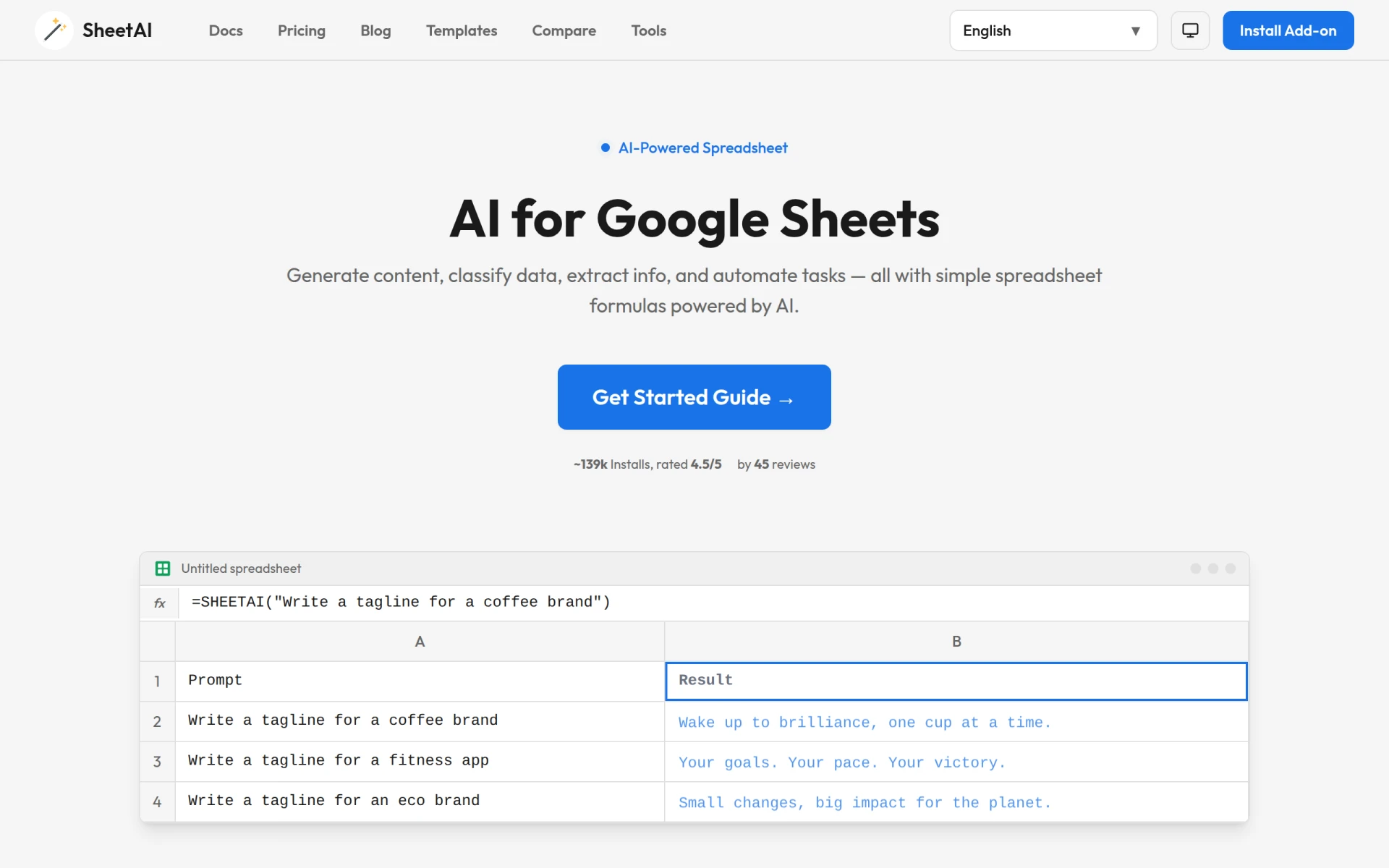
SheetAI is an AI-powered tool designed to enhance Google Sheets by integrating advanced artificial intelligence functionalities directly into the spreadsheet environment. It primarily aims to simplify the process of data manipulation and analysis, enabling users to generate formulas, automate repetitive tasks, and derive insights without needing extensive technical expertise. By leveraging AI, SheetAI effectively addresses common challenges in spreadsheet management, such as complex data analysis and the need for custom formulas, making it accessible to a broader audience.
SheetAI provides practical advantages by streamlining data management tasks within Google Sheets, leading to increased efficiency and productivity. Users can quickly generate insights from their data without needing deep technical knowledge, enabling teams to focus on decision-making rather than data entry and manipulation. The automation capabilities help reduce human error and save time, while the AI-driven features enhance the depth of analysis possible within spreadsheets. Additionally, the user-friendly interface means that even non-technical users can harness the power of AI effectively.
Businesses can utilize SheetAI to enhance their data management processes in various scenarios. For instance, a marketing team might use it to analyze customer feedback from surveys, generating sentiment scores and key insights effortlessly. A finance team could automate monthly reporting tasks, using AI to generate complex financial formulas without manual input. Product managers might leverage SheetAI for competitive analysis, quickly extracting data from multiple sources and synthesizing it into actionable insights. Educational institutions can also benefit by using it to manage student data and streamline administrative tasks.
SheetAI is ideal for a range of users, including marketers, data analysts, finance professionals, and business owners who need to manage and analyze data efficiently. It is particularly useful for those who may lack advanced coding skills but still require powerful spreadsheet functions. However, it may not be the best fit for users who prefer standalone applications or require highly specialized data processing features that Go beyond standard spreadsheet capabilities.
SheetAI offers a subscription-based pricing model with two plans: Unlimited Monthly at $20 per month and Unlimited Yearly at $200 per year. Both plans include unlimited formula generation and SHEETAI function calls while allowing users to utilize their own OpenAI, Claude, or Replicate keys.
In summary, SheetAI.app is a robust tool that empowers users to enhance their Google Sheets experience by integrating AI functionalities seamlessly. While it offers numerous advantages such as automation and simplified formula generation, potential users should assess whether its capabilities align with their specific data management needs. Overall, for those seeking to leverage AI within a familiar spreadsheet environment, SheetAI is a valuable option worth considering.
Consile is an all-in-one team operations platform that integrates tasks, attendance, leave, and HR functions in a secure workspace.
A comprehensive guide to keyboard shortcuts for Windows, MacOS, and Linux, enhancing productivity and workflow efficiency.
Online Whiteboard is a free collaborative tool for brainstorming and visualizing ideas in real-time with teams.
Audioread converts text from articles, PDFs, and emails into natural-sounding audio for easy listening.
Ayfie is a personal assistant software that helps users manage tasks and improve productivity through intelligent automation.
AIApply is a job application tool that helps users create tailored resumes, cover letters, and auto-apply for jobs quickly.
Weekly roundup of new AI tools, launches, and trending software. No spam — unsubscribe anytime.
No credit card required · Cancel anytime
Weekly roundup of new AI tools, launches, and trending software. No spam — unsubscribe anytime.
No credit card required · Cancel anytime








