
Ark Fi
Freemium
Ark Fi is a workflow automation tool designed to enhance business efficiency through streamlined processes.
Freelancers waste time on manual tasks. Discover automation tools to streamline your workflow and reclaim your time.
Freelancers often find themselves buried in manual tasks that consume valuable time, hindering productivity and creativity. This guide explores essential automation tools that can help streamline your workflow, allowing you to focus on what truly matters—your work.
Time management is a persistent challenge for freelancers, often exacerbated by the need to juggle multiple clients, deadlines, and administrative tasks. Picture a scenario where you spend hours tracking billable hours, sending invoices, or managing project updates instead of focusing on delivering high-quality work. These manual processes not only waste time but also drain motivation, making it difficult for freelancers to maintain a healthy work-life balance.
Moreover, the lack of efficient systems can lead to errors, missed deadlines, and ultimately, dissatisfied clients. When you are managing everything manually, the scope for mistakes increases, which can affect your reputation and income. As a freelancer, automating these repetitive tasks is not just a luxury; it is a necessity to thrive in a competitive marketplace.
Ark Fi is a powerful workflow automation tool designed specifically for enhancing business efficiency. With its focus on streamlining processes, Ark Fi allows freelancers to automate administrative tasks that often consume a significant portion of their time. By using customizable templates and real-time collaboration features, you can create workflows that suit your specific needs and preferences.
For instance, if you are managing multiple client projects, you can schedule tasks and automate reminders, ensuring that nothing falls through the cracks. Its integration capabilities with popular business tools make it easy to incorporate Ark Fi into your existing systems.
Pricing: Freemium - Pricing information for Ark Fi is currently unavailable. Best for: Small businesses looking to automate administrative tasks, Marketing teams needing to streamline campaign processes, Project managers coordinating team tasks and deadlines.
40h is an indispensable tool for freelancers seeking to optimize their work hours effectively. With its user-friendly interface and robust time tracking capabilities, 40h makes it easy to keep tabs on billable hours, ensuring that you get paid for every minute of your work. The task categorization feature allows you to organize your projects, making it simpler to analyze your time allocation across different clients or tasks.
Additionally, the reporting tools provide insights into your productivity, helping you identify areas for improvement. With reminders to keep you on track, 40h is an excellent choice for freelancers who want to streamline their time management processes.
Pricing: Freemium - Pricing information for 40h is currently unavailable. Best for: Freelancers looking to track billable hours, Small business owners managing employee productivity, Marketing teams analyzing campaign time allocation.
Automata stands out as a workflow automation tool designed to enhance team productivity by simplifying complex business processes. Its ability to create workflows that automate tasks reduces the time spent on manual efforts, allowing you to focus on higher-value activities. The trigger-based actions mean you can set up automations that respond to specific events, further optimizing your workflow.
Whether you are managing lead tracking for a client or automating campaign processes, Automata’s integration capabilities make it a versatile choice for freelancers across various industries. It is particularly beneficial for those who need to manage multiple projects simultaneously.
Pricing: Freemium - Pricing information for Automata is not readily available and should be requested directly from the company. Best for: Small to medium-sized businesses, Marketing teams looking to automate campaigns, Sales teams managing lead tracking.
Paperclips Web is an innovative workflow automation tool designed to simplify productivity through customizable automation. Its drag-and-drop interface makes it easy for freelancers to build and modify workflows without needing extensive technical skills. This feature is particularly useful for those who may not have a background in technology but still want to enhance their efficiency.
With real-time analytics, Paperclips Web allows you to monitor the effectiveness of your workflows, making adjustments as necessary to improve performance. This is ideal for freelancers who want to optimize their processes continually and ensure they are working at peak efficiency.
Pricing: Freemium - Pricing information for Paperclips Web is currently not available. Best for: Small to medium-sized enterprises, Marketing teams looking to automate outreach, Project managers managing task allocations.
Checklist.gg is an AI-powered checklist management tool designed to optimize workflows and enhance task organization. Its ability to create AI-powered checklists means freelancers can automate the process of task management, ensuring that nothing is overlooked when managing multiple projects. The progress tracking feature helps you stay on top of your tasks, providing visual indicators of your progress.
Additionally, Checklist.gg allows for task delegation, making it ideal for freelancers who occasionally collaborate with others or need to assign tasks for specific projects. With customizable templates, you can refine your workflow for maximum efficiency.
Pricing: Freemium - Pricing information for Checklist.gg is currently unavailable. Best for: Marketing teams managing campaign tasks, Remote teams coordinating project workflows, Event planners organizing various elements of an event.
Dart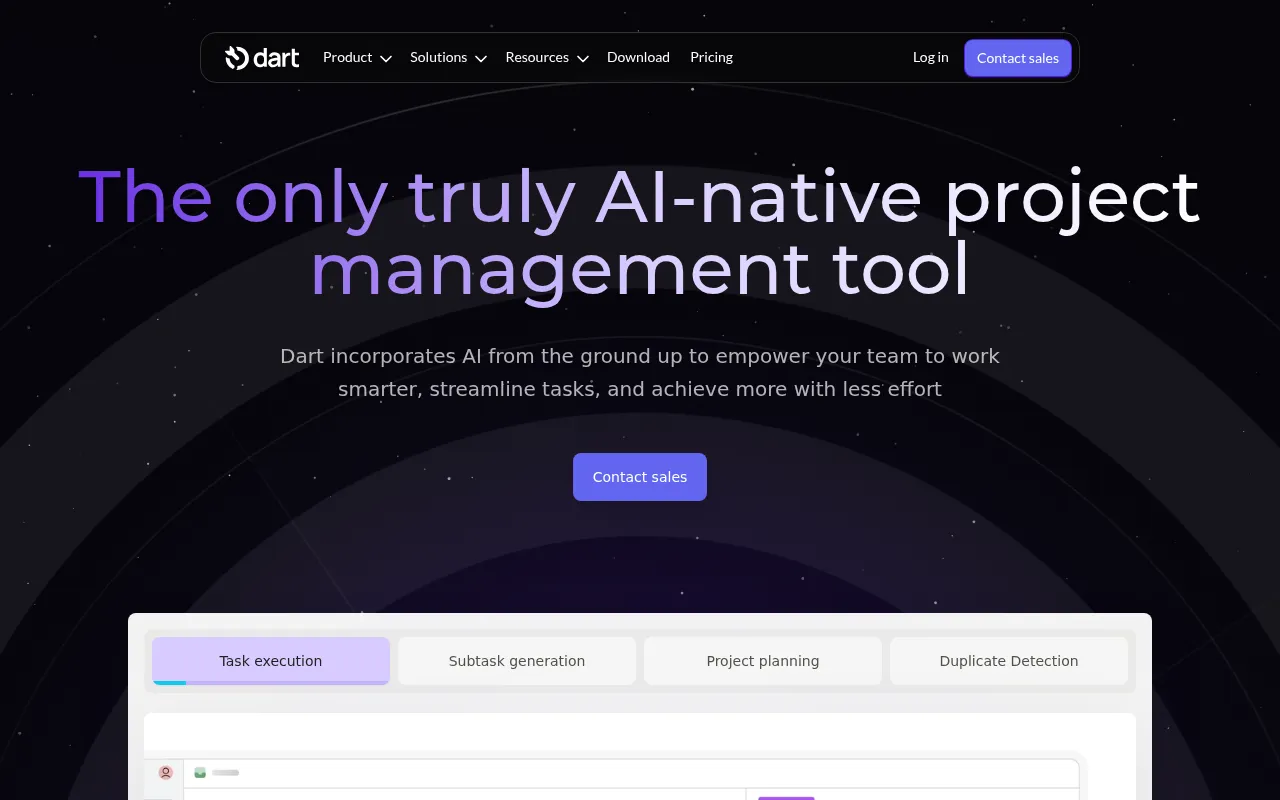 leverages AI to enhance project management and team collaboration. With features like AI Task Execution and Subtask Generation, freelancers can automate various aspects of their project planning, significantly reducing the time spent on manual task management. This is especially useful for freelancers who handle multiple projects and need effective tracking to avoid confusion.
The AI Report Generation feature offers insights into your project performance, helping you make informed adjustments as needed. Dart is an ideal choice for freelancers seeking a robust project management tool that combines automation with advanced analytical capabilities.
Pricing: Freemium - Dart offers a free plan for up to four teammates and a premium plan priced at $8 per teammate per month. Best for: Small to medium-sized businesses, Marketing teams, Software development teams.
WorkFlowPro is designed to enhance productivity by simplifying task management and process optimization. Its workflow design features allow freelancers to create custom workflows tailored to their unique needs, making it easier to keep track of various projects. With real-time collaboration options, you can work alongside clients or team members effectively.
What sets WorkFlowPro apart is its integration with third-party applications, which allows you to connect various tools and streamline your processes even further. This is valuable for freelancers who use multiple platforms and want a cohesive workflow.
Pricing: Freemium - Pricing information for WorkFlowPro is currently unavailable. Best for: Small to medium-sized businesses, Marketing teams, Sales teams.
Amie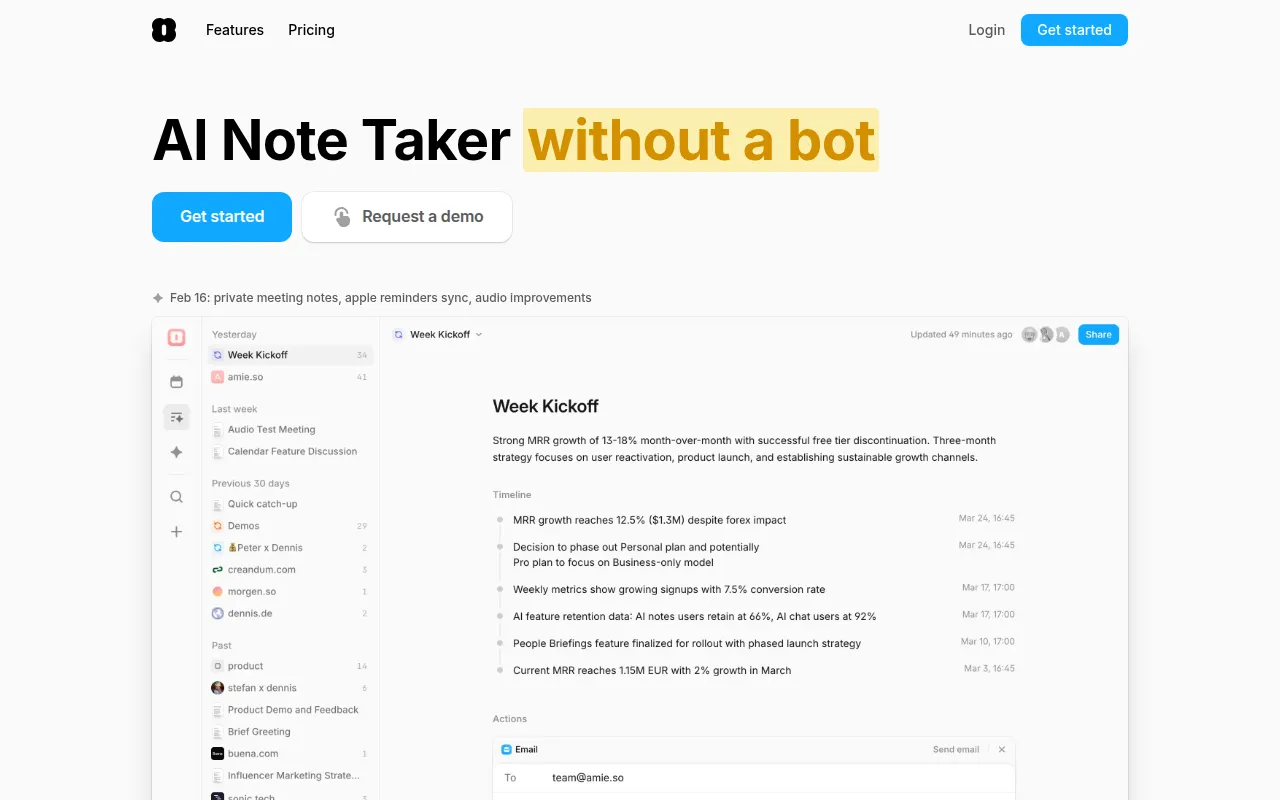 is an AI-powered note-taking tool that automates the process of capturing meeting summaries and managing workflows efficiently. This is particularly beneficial for freelancers who attend multiple client meetings and need to keep track of discussions and action items. Its integration with Google and Apple calendars ensures that you can keep your meetings organized and easily accessible.
With unlimited todo lists and integrations with various task management tools, Amie allows you to streamline your workflow without losing track of important details. The bot-free recordings provide a natural note-taking experience, making it easier to focus on discussions rather than worrying about capturing every detail.
Pricing: Freemium - Amie offers a 7-day free trial, with monthly and yearly subscription options available. Best for: Sales teams capturing client meeting notes, Project managers documenting project discussions, Remote teams collaborating across different time zones.
Altera is a comprehensive workflow automation tool designed to optimize business processes and enhance operational efficiency. Its focus on workflow automation and process mapping makes it an excellent choice for freelancers who need to streamline their operations. By managing tasks efficiently, Altera helps you save valuable time and reduce the likelihood of errors in your work.
With real-time analytics, you can monitor the effectiveness of your workflows, making necessary adjustments to maintain optimal performance. This is particularly useful for freelancers managing multiple clients who need to ensure that everything runs smoothly.
Pricing: Freemium - Pricing information for Altera is currently unavailable. Best for: Medium to large-sized businesses, Marketing teams looking to automate lead nurturing, Project managers needing task management solutions.
Bluesheets is an AI-native data preparation and workflow automation platform designed to streamline data processes for businesses. For freelancers, especially those handling data-heavy projects, Bluesheets offers AI-driven data validation and automated data extraction, significantly reducing the time spent on data management.
Its customizable workflow automation capabilities allow freelancers to tailor the tool to fit their specific data needs, making it easier to manage and report on data accurately. This is particularly beneficial for freelancers in analytics or finance roles who require precise data handling and reporting.
Pricing: Contact - Pricing information for Bluesheets is not publicly available. Best for: Data analysts looking to automate repetitive tasks, Marketing teams needing efficient lead data management, Financial departments requiring accurate reporting.
| Tool | Best For | Starting Price | Rating |
|---|---|---|---|
| Ark Fi | Streamlined Business Processes | Free | 0.0/5 |
| 40h | Time Tracking | Free | 0.0/5 |
| Automata | Workflow Streamlining | Free | 0.0/5 |
| Paperclips Web | Customizable Automation | Free | 0.0/5 |
| Checklist.gg | Task Organization | Free | 0.0/5 |
| Dart | Project Management | Free | 0.0/5 |
| WorkFlowPro | Simplified Task Management | Free | 0.0/5 |
| Amie | Meeting Management | Free | 0.0/5 |
| Altera | Optimizing Business Processes | Free | 0.0/5 |
| Bluesheets | Data Management | Contact | 0.0/5 |
For beginners, 40h is the ideal choice due to its user-friendly interface and straightforward time tracking capabilities. It allows new freelancers to easily monitor their work hours without the steep learning curve often associated with more complex tools. With essential features like reminders and task categorization, beginners can quickly gain control over their time management.
The best choice for professionals is Dart, offering advanced features such as AI Task Execution and AI Report Generation. These capabilities allow experienced freelancers to automate complex project management tasks effectively. The tool's sophisticated reporting features provide deep insights into project performance, making it a powerful asset for professionals overseeing multiple projects at once.
The best value pick is Amie, which offers a 7-day free trial and a range of features tailored for meeting management and workflow automation. Its price-to-feature ratio is excellent for freelancers who need efficient solutions for capturing meeting notes and managing tasks, providing a strong return on investment for those who frequently attend client meetings.
As a freelancer, automating repetitive tasks is crucial for effective time management and productivity. By leveraging the right tools, you can reclaim your time and focus on delivering quality work to your clients. Explore the options highlighted in this guide and take the first step towards a more efficient freelancing journey.
Ark Fi is a workflow automation tool designed to enhance business efficiency through streamlined processes.
40h is a time management tool designed to help users track and optimize their work hours effectively.
Automata is a workflow automation tool designed to streamline business processes and enhance team productivity.
Paperclips Web is a workflow automation tool designed to simplify and enhance productivity through customizable automation.
Checklist.gg is an AI-powered checklist management tool designed to optimize workflow and enhance task organization.
Dart is an AI-driven project management tool designed to enhance team collaboration and task management.
WorkFlowPro is a workflow automation tool designed to enhance productivity by simplifying task management and process optimization.
Amie is an AI-powered note-taking tool designed to automate meeting summaries and manage workflows efficiently.
Altera is a workflow automation tool designed to optimize business processes and enhance operational efficiency.
Bluesheets is an AI-native data preparation and workflow automation platform designed to streamline data processes for businesses.
Automation tools help freelancers save time by eliminating repetitive tasks, allowing them to focus on high-value activities. These tools can enhance productivity, reduce errors, and improve overall workflow efficiency.
Yes, many automation tools offer freemium models, allowing freelancers to access basic features for free while providing options for advanced capabilities at a cost. Tools like 40h and Ark Fi have free tiers that can be beneficial for freelancers.
Consider your specific workflow requirements, the type of tasks you want to automate, user-friendliness, integration capabilities, and whether the tool offers analytics features. Evaluate the tools mentioned in this guide to find the best fit for your freelancing needs.
Most of the tools listed in this guide offer integration capabilities with popular applications like project management software, email platforms, and calendars, making it easier to incorporate them into your existing workflow.
Many tools operate on a freemium basis, offering free access to basic features with premium plans available for advanced functionalities. Pricing varies widely, so it's essential to check individual tool websites for the most accurate information.
By automating repetitive and time-consuming tasks, freelancers can free up valuable time to focus on their core work, ultimately leading to increased productivity, better work quality, and improved client satisfaction.
Focus on user-friendliness, integration capabilities, customization options, real-time collaboration features, and analytics. These features can significantly enhance your productivity and ensure the tool aligns with your workflow.
Weekly roundup of new AI tools, launches, and trending software. No spam — unsubscribe anytime.
No credit card required · Cancel anytime
Weekly roundup of new AI tools, launches, and trending software. No spam — unsubscribe anytime.
No credit card required · Cancel anytime