Overview
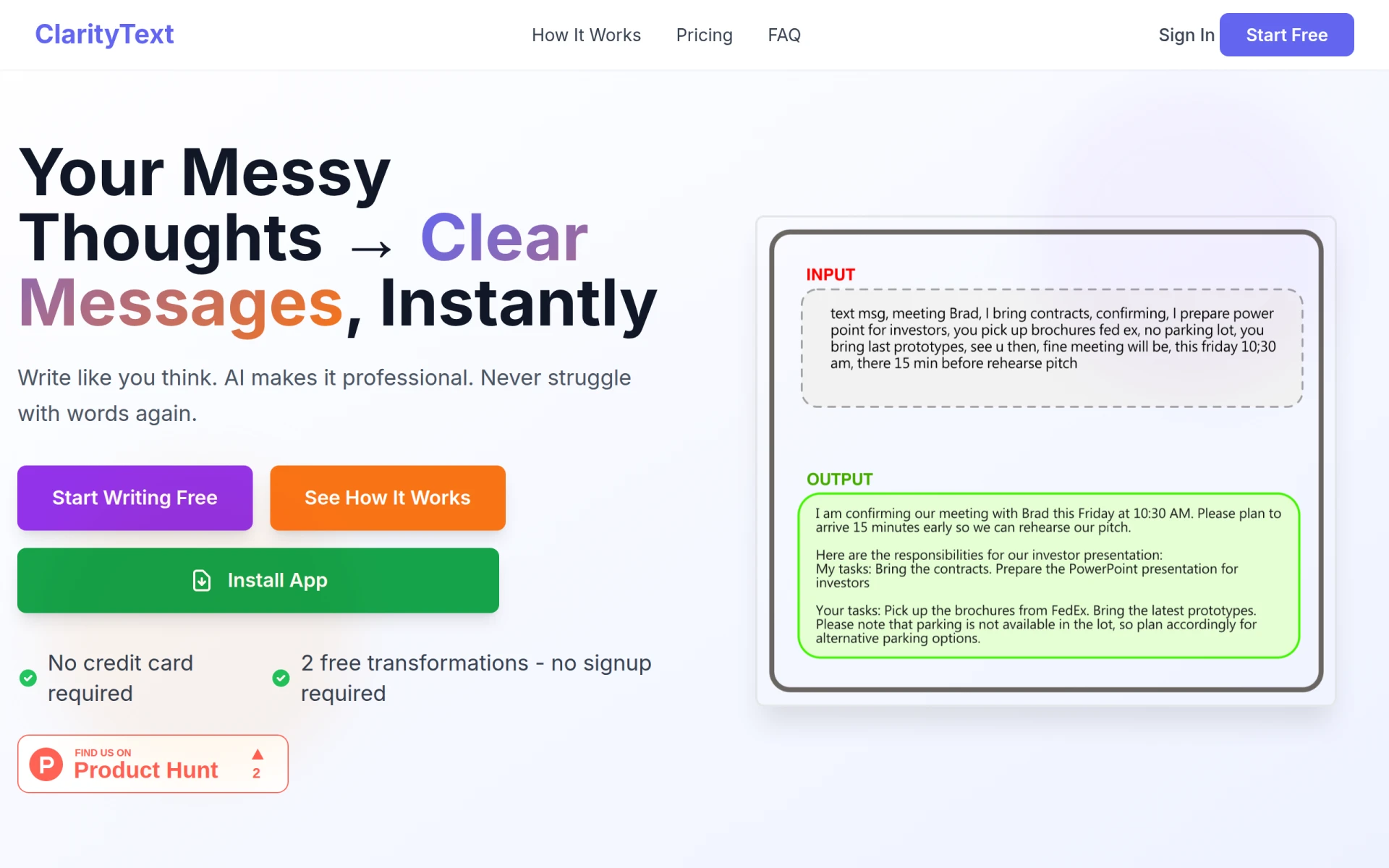
ClarityText is an AI-powered writing assistant designed to help individuals communicate their thoughts clearly and professionally. Its primary purpose is to transform disorganized bullet points or rough drafts into polished messages, making it easier for users to convey their ideas effectively. By addressing common challenges such as writer's block and the struggle to find the right words, ClarityText serves as a translator between the user's thoughts and professional communication standards.
Key Features
- Bullet point transformation: Convert bullet points into coherent paragraphs.
- Professional tone adjustment: Tailor the writing style to match formal communication needs.
- Instant feedback: Receive immediate suggestions for improving clarity and professionalism.
- User-friendly interface: Navigate easily with a simple layout designed for quick writing tasks.
- No signup required: Start using the core features without the need for account creation.
- Free initial transformations: Test the tool with a limited number of free transformations.
- Multi-device accessibility: Use the writing assistant on various devices including desktops and tablets.
- Context-aware suggestions: AI understands the context of your writing to provide relevant enhancements.
Benefits
ClarityText offers practical advantages by streamlining the writing process. Users can save time and reduce frustration associated with crafting professional messages. The software empowers individuals to express their thoughts without the fear of making grammatical errors or using inappropriate language. Additionally, by providing instant feedback, it helps users learn and improve their writing skills over time. This can be especially valuable in professional settings where effective communication is crucial.
Common Use Cases
ClarityText can be particularly useful in various scenarios. For instance, a busy manager may need to send a concise email outlining project updates but struggles with wording. Using ClarityText, they can quickly input bullet points and receive a well-structured message ready to be sent. Another common use case might involve a freelancer drafting proposals for clients; ClarityText can enhance their initial drafts, ensuring they convey professionalism and clarity. Additionally, individuals experiencing emotional stress may find it challenging to articulate their feelings in writing; ClarityText can help reframe their raw thoughts into a more acceptable format before sending.
Who Should Use It
ClarityText is ideal for professionals, students, and anyone needing to communicate effectively in writing. This includes business executives, marketers, and freelancers who frequently draft emails, proposals, or reports. However, it may not be the best fit for users who prefer a more traditional writing approach or those who need extensive editing capabilities beyond what ClarityText offers.
Pricing Overview
Pricing details for ClarityText are not readily available on their website. However, the platform offers two free transformations with no signup required, allowing users to evaluate the service before committing to any paid plans.
Conclusion
ClarityText stands out as a practical solution for anyone looking to enhance their written communication. By simplifying the process of turning disorganized thoughts into clear messages, it can significantly reduce the stress associated with writing. While it may have limitations in terms of advanced editing features, its core functionality is valuable for users who need a quick and effective way to communicate professionally. Overall, ClarityText is worth considering for those in need of a reliable writing assistant.