Overview
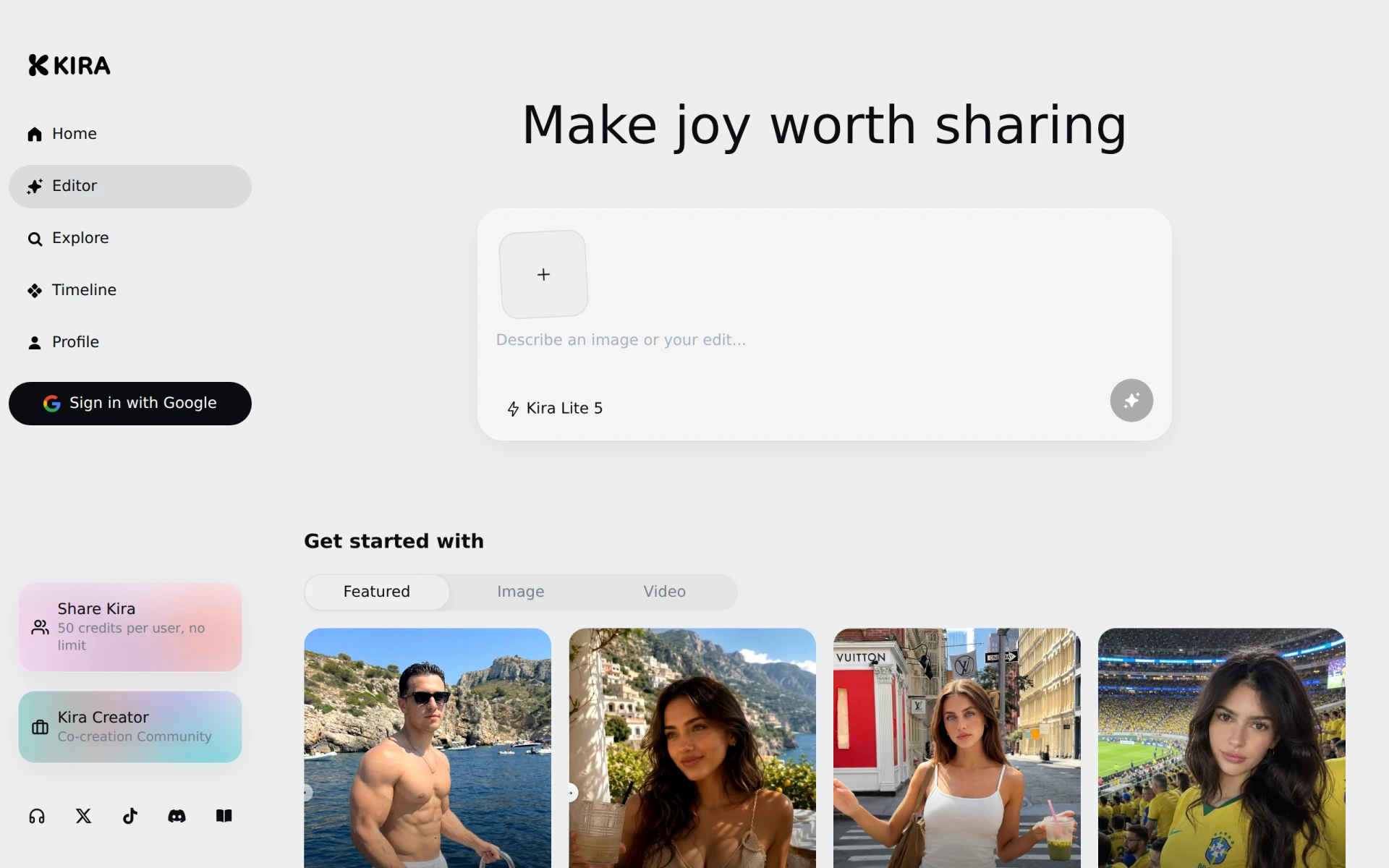
Kira is a graphic design tool aimed at making design accessible and enjoyable for everyone. Its primary purpose is to simplify the process of creating visually appealing graphics, making it easier for users to share their creative works. By providing a user-friendly interface and a variety of design features, Kira addresses common challenges in graphic design, such as complexity and accessibility, allowing users from all backgrounds to produce high-quality content.
Key Features
- User-friendly interface for easy navigation
- Co-creation community for collaborative projects
- Credit-based system for asset usage
- Wide range of templates for various design needs
- Image editing tools for enhancing visuals
- Background removal feature for cleaner images
- Video creation tools for dynamic content
- Support for exporting designs in multiple formats
- Regular updates with new features and assets
- Access to a library of stock images and videos
Benefits
Kira offers several practical advantages that enhance its value for users. The intuitive interface reduces the learning curve, enabling users to start designing quickly without extensive training. The collaborative features foster a sense of community, allowing users to work together on projects and share ideas. Additionally, Kira's credit-based system allows for flexibility in resource usage, ensuring that users can create without worrying about upfront costs. The availability of various templates and editing tools aids in producing professional-quality designs that can boost marketing efforts and engagement.
Common Use Cases
Kira is well-suited for a variety of scenarios. For instance, small business owners can use Kira to create promotional materials such as flyers and social media posts that attract customers. Freelancers in the creative industry can employ Kira to design portfolios or client presentations efficiently. Moreover, marketing teams can leverage Kira's features to produce visually engaging content for campaigns, enhancing their outreach. Educators can also find value in Kira, using it to create informative graphics for presentations or to engage students visually.
Who Should Use It
Kira is ideal for individuals and teams looking for an accessible graphic design solution. Small business owners, freelancers, and marketers can greatly benefit from its features. However, advanced designers who require more complex tools or specialized features may find Kira limiting. Additionally, users needing extensive customization options may want to explore other design software that offers deeper functionality.
Pricing Overview
Kira utilizes a credit-based pricing model, allowing users to purchase credits for asset usage. Specific pricing details are not listed on the website, making it essential for potential users to check directly for the most accurate information.
Conclusion
Kira presents a solid option for those seeking an accessible graphic design tool that combines ease of use with functionality. While it caters well to small businesses, freelancers, and marketing teams, more advanced users may need to consider its limitations. As such, Kira is a worthy contender in the graphic design space, particularly for those who prioritize simplicity and collaboration in their design process.