Overview
PDNob Image Translator is a versatile software designed to extract and translate text from a variety of image formats, including screenshots, scanned documents, and photos. Its primary purpose is to provide users with a quick and efficient way to convert visual text into editable and translatable formats. This tool addresses the common challenges faced by students, professionals, and travelers who need to understand foreign language texts from images without the hassle of manual transcription.
Key Features
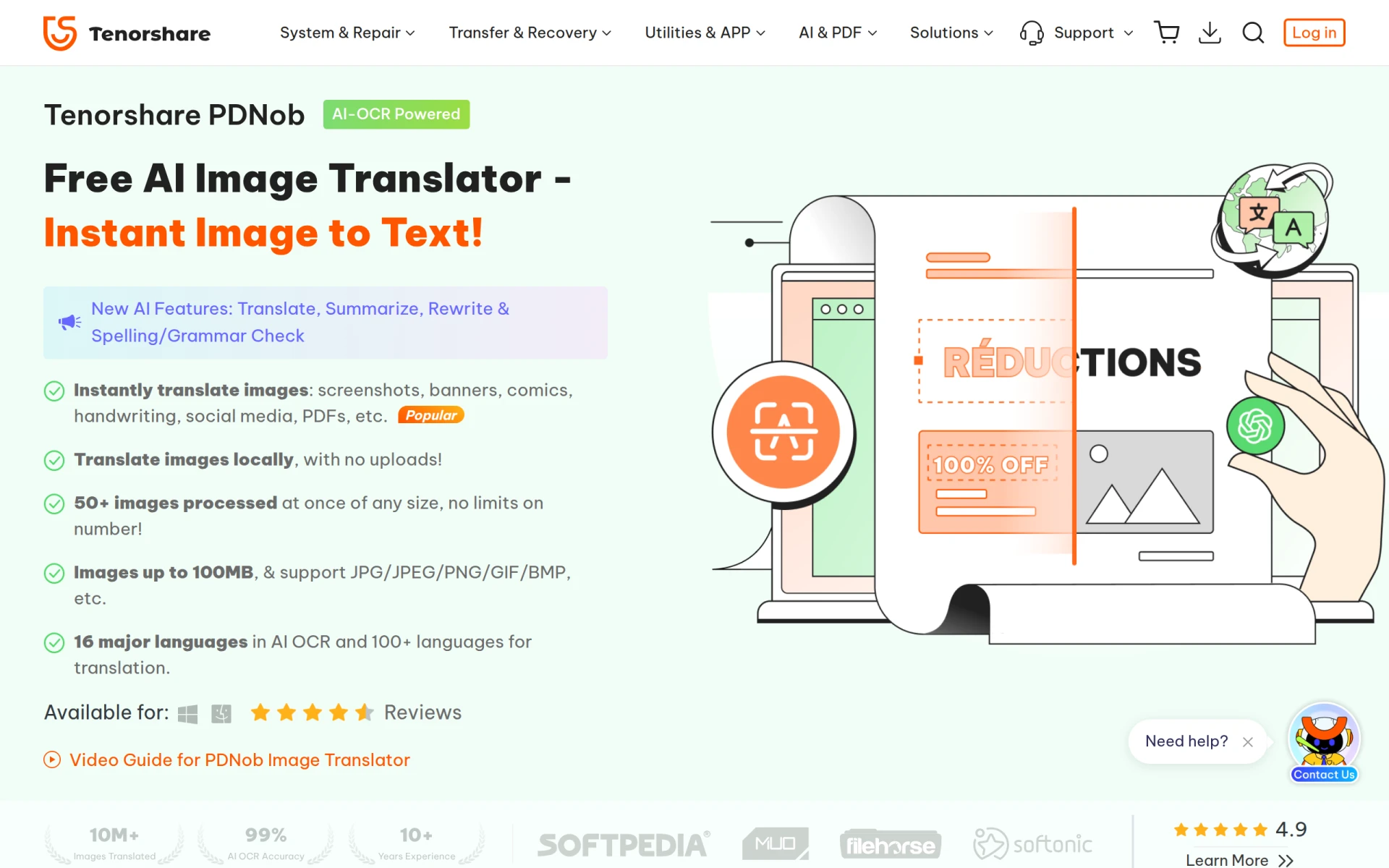
- Instant image translation
- Supports 16 major languages for AI OCR
- Translates over 100 languages
- Processes images locally without uploads
- Handles images up to 100MB in size
- Compatible with various formats including JPG, JPEG, PNG, GIF, BMP
- Allows batch processing of 50+ images at once
- Summarizes, rewrites, and checks spelling/grammar
Benefits
PDNob Image Translator offers practical advantages such as increased efficiency in translating documents and images, reducing the time spent on manual text entry. The ability to process large images and multiple files simultaneously can significantly enhance productivity for users who frequently deal with foreign text. Additionally, the local processing feature ensures privacy and security, as users do not need to upload sensitive images to the internet.
Common Use Cases
Students can utilize PDNob Image Translator to translate text from lecture slides, textbooks, and notes in foreign languages. Professionals in international business may find it useful for translating marketing materials, contracts, or communications in various languages. Travelers can quickly translate signs, menus, or documents encountered abroad, making it easier to navigate foreign environments. Content creators can also benefit by translating images from social media or articles for their work.
Who Should Use It
PDNob Image Translator is ideal for students, educators, international business professionals, and travelers who require quick translations of visual text. However, it may not be the best fit for users needing advanced editing features or those looking for extensive document management capabilities, as its primary focus is on image translation.
Pricing Overview
PDNob Image Translator is available as a free download, making it accessible to a wide range of users without a financial commitment.
Conclusion
In conclusion, PDNob Image Translator stands out as a practical tool for anyone needing to convert images containing text into editable and translatable formats. With its user-friendly features and strong focus on accuracy, it offers valuable support for various user needs. While it is free and efficient, potential users should consider their specific requirements to determine if it meets their expectations for image translation tasks.