Overview
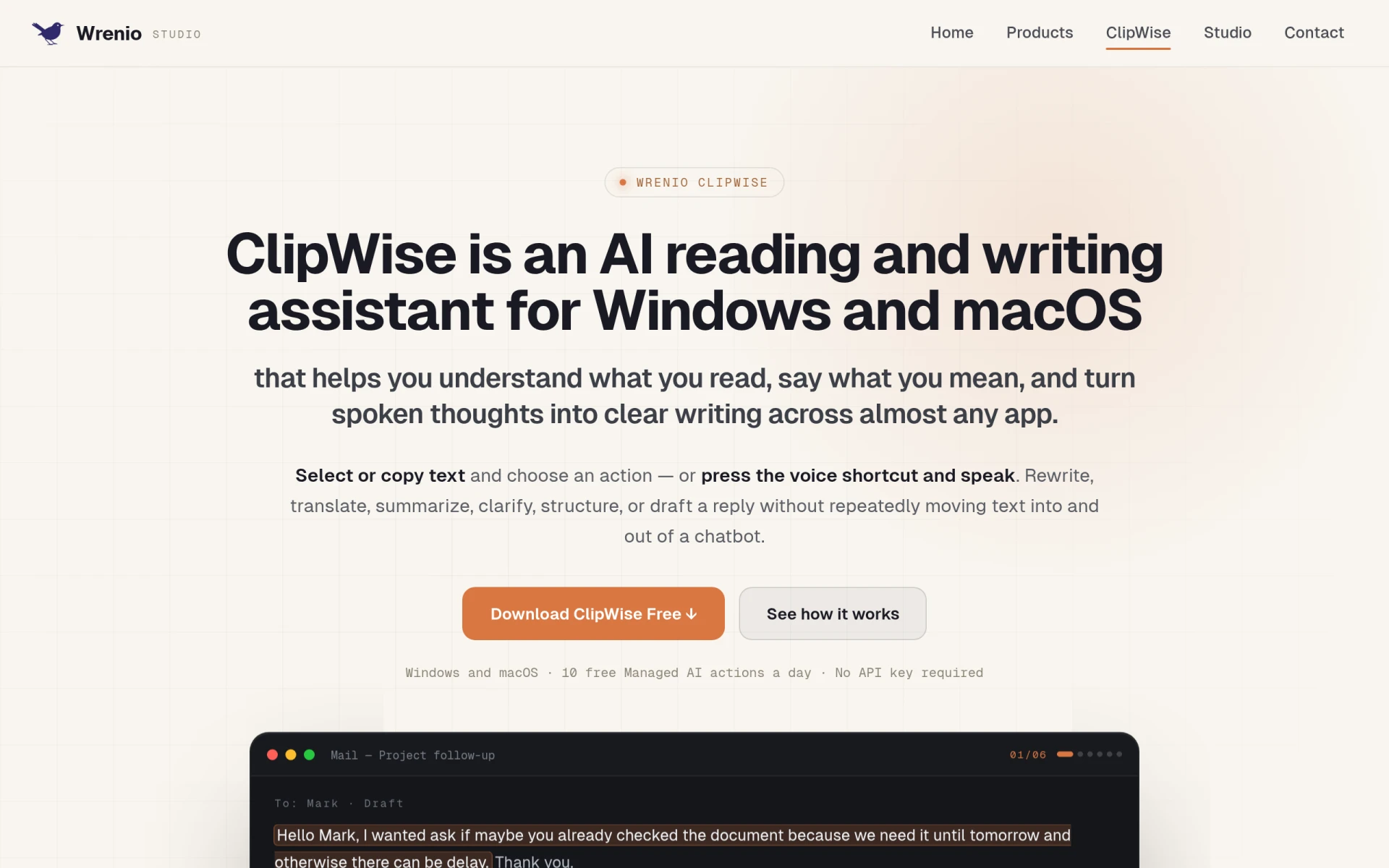
ClipWise is an AI-powered reading and writing assistant designed for both Windows and macOS users. Its primary purpose is to assist individuals in understanding text more effectively and to facilitate clear communication by transforming spoken thoughts into well-structured written content. By integrating seamlessly with nearly any application, ClipWise aims to alleviate common challenges associated with writing and comprehension, making it easier to convey ideas accurately and efficiently.
Key Features
- AI Writing Assistant: Provides real-time suggestions and enhancements for written text.
- Voice Input: Allows users to dictate their thoughts and convert them into text.
- Text Summarization: Generates concise summaries of longer texts for quick understanding.
- Translation: Offers translation capabilities for over 13 languages, promoting multilingual communication.
- Text Clarification: Helps to clarify complex sentences or jargon into simpler language.
- Text Structuring: Assists in organizing thoughts and content logically.
- Screenshot Capture: Enables users to take screenshots for reference and context.
- Multi-Application Support: Functions across various applications, enhancing versatility.
- Daily AI Actions: Users can perform up to 10 AI-assisted actions daily for free.
- User-Friendly Interface: Designed with ease of use in mind for both novice and experienced users.
Benefits
ClipWise provides practical advantages for users looking to enhance their writing and comprehension skills. By employing advanced AI technology, it significantly reduces the time spent on editing and rewriting tasks, allowing users to focus more on their core responsibilities. The ability to dictate thoughts directly into text simplifies the writing process, making it accessible to those who may struggle with traditional typing. Additionally, the multilingual capabilities enhance communication in diverse settings, making ClipWise a valuable tool for global collaboration.
Common Use Cases
ClipWise is suitable for various scenarios, including:
- Students who need assistance in drafting essays or reports and want to improve their writing skills.
- Professionals drafting emails, reports, or proposals who require quick editing and structuring support.
- Non-native speakers looking for translation and clarification of texts to communicate more effectively.
- Content creators seeking to summarize articles or research papers for easier consumption.
- Teams collaborating on documents that need a streamlined writing process across different languages.
Who Should Use It
ClipWise is ideal for individuals and teams who frequently engage in writing or require assistance with text comprehension. It is particularly beneficial for students, professionals, freelancers, and content creators. However, those who do not frequently write or who prefer more traditional writing tools may find ClipWise less useful. Additionally, users who require advanced features or specific integrations may need to consider other options.
Pricing Overview
ClipWise offers a free version, which allows users to perform up to 10 AI actions daily without needing an API key. Detailed pricing for premium features or subscription plans is not specified, so users may need to visit the website for the latest information.
Conclusion
ClipWise stands out as a user-friendly AI reading and writing assistant that can significantly enhance the writing process for individuals across various fields. Its strengths lie in its ability to simplify complex writing tasks and improve communication, particularly for those who may struggle with traditional writing methods. While it may not be ideal for everyone, those seeking an efficient way to manage their writing and comprehension tasks will likely find value in using ClipWise.