Overview
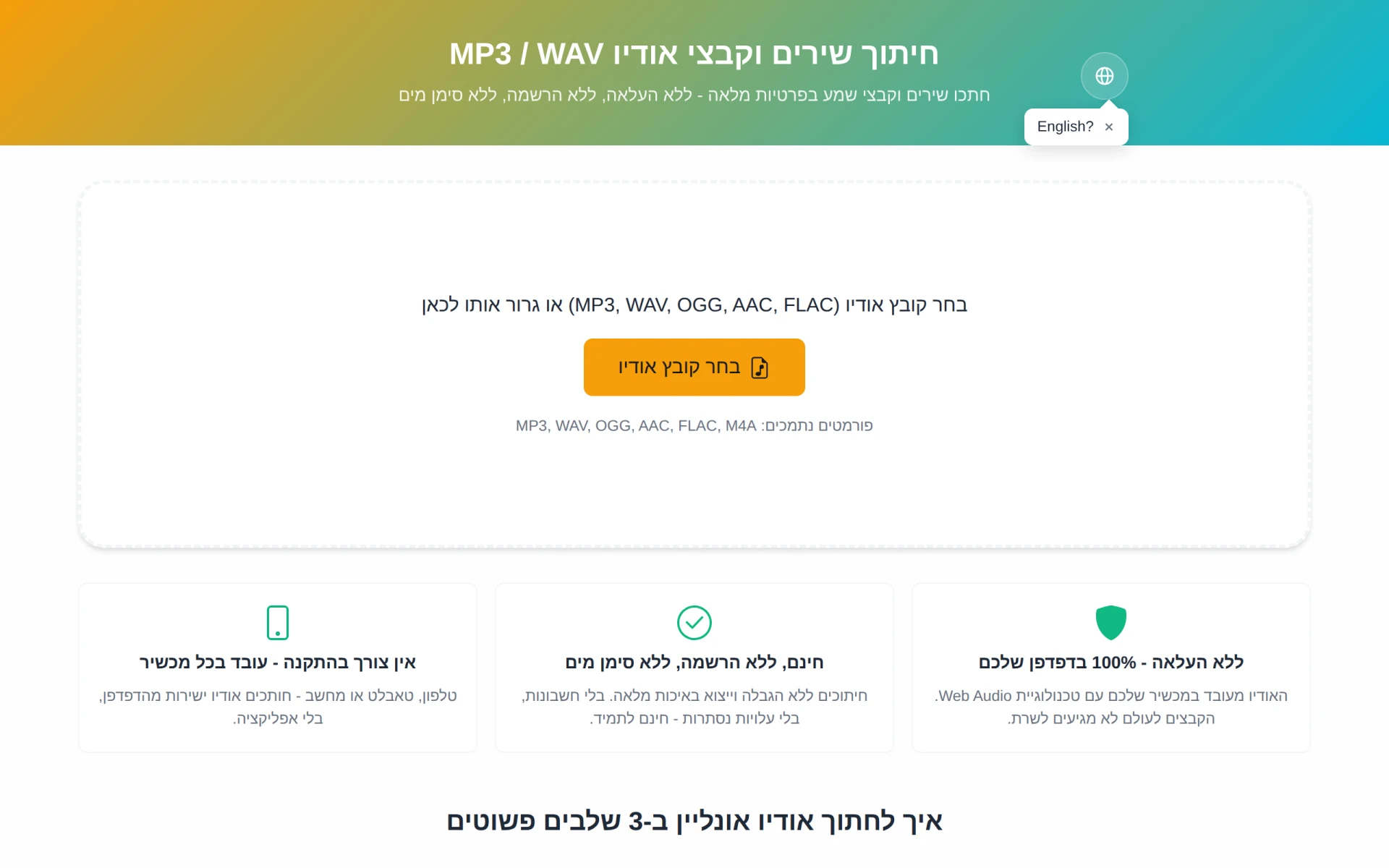
CutMP3 is a user-friendly online tool designed for trimming audio files, specifically MP3 and WAV formats. Its primary purpose is to allow users to cut specific segments from audio tracks quickly and conveniently, all without the need for uploads or personal data submissions. The software solves the common problem of needing to create ringtones or edit audio clips without the hassle of downloading software or worrying about privacy concerns, as all processing occurs directly on the user's device.
Key Features
- Direct audio editing in the browser without file uploads
- Supports multiple audio formats including MP3, WAV, OGG, AAC, and FLAC
- No registration required for use
- Unlimited cuts and full-quality exports
- Complete privacy with files never leaving the device
- Easy-to-use interface with audio waveform display
- Ability to listen to selected segments before cutting
- Works on any device, including smartphones, tablets, and computers
Benefits
CutMP3 offers several practical advantages for users seeking a simple and efficient audio editing solution. By enabling users to edit audio directly in their browser, it eliminates the need for software installations and complex setups. The privacy-focused design ensures that users can work confidently, knowing their audio files remain secure and local. Additionally, the broad support for various audio formats means that users can work with a wide range of media files without compatibility issues.
Common Use Cases
CutMP3 is particularly useful for individuals looking to create ringtones from their favorite songs. For instance, a user may want to extract a catchy chorus or a specific verse to use as a ringtone on their mobile device. Musicians and podcasters can also benefit from this tool by quickly editing audio clips for promotional materials or social media posts. Furthermore, educators may use it to trim audio resources for classroom materials, making it a versatile tool across various fields.
Who Should Use It
CutMP3 is ideal for casual users who need a quick and straightforward way to edit audio files without the complexity of advanced software. It's particularly suited for individuals who value privacy and convenience in their audio editing tasks. However, professional audio editors or those requiring advanced editing features may find CutMP3 lacking in comprehensive tools and functionalities typically found in dedicated audio editing software.
Pricing Overview
CutMP3 is completely free to use, with no hidden fees or charges. Users can access all features without creating an account.
Conclusion
In summary, CutMP3 is a practical and efficient tool for anyone needing to trim audio files quickly and securely. Its browser-based functionality, combined with a focus on user privacy and ease of use, makes it a strong choice for casual audio editing. While it may not meet the needs of professional users looking for advanced editing capabilities, it serves its purpose well for those requiring basic audio trimming tasks.