Why Look for Alternatives to Goodmeetings?
While Goodmeetings has made strides in automating appointment scheduling, it has certain limitations that may prompt users to seek alternatives. One significant concern is the lack of transparent pricing information, which can be a barrier for businesses trying to budget effectively. The absence of clear cost structures might deter potential users who prefer to evaluate their options comprehensively before committing to a tool. Additionally, users have reported that Goodmeetings may not handle complex scheduling scenarios very well, especially if multiple parties are involved across different time zones. This is a critical drawback for teams that frequently coordinate meetings with external stakeholders.
Another pain point is that Goodmeetings may lack certain integrations that are vital for productivity. For instance, users might find that it doesn't seamlessly integrate with popular project management tools or communication platforms, limiting its functionality in a collaborative environment. Furthermore, the user interface may not be as intuitive as competitors, leading to longer onboarding times for new users. In an age where efficiency is paramount, these factors can significantly impact a team’s productivity and overall satisfaction with the tool.
Best Alternatives to Goodmeetings in 2026
Sidekick - Best for Integrated Email and Web Coordination
Sidekick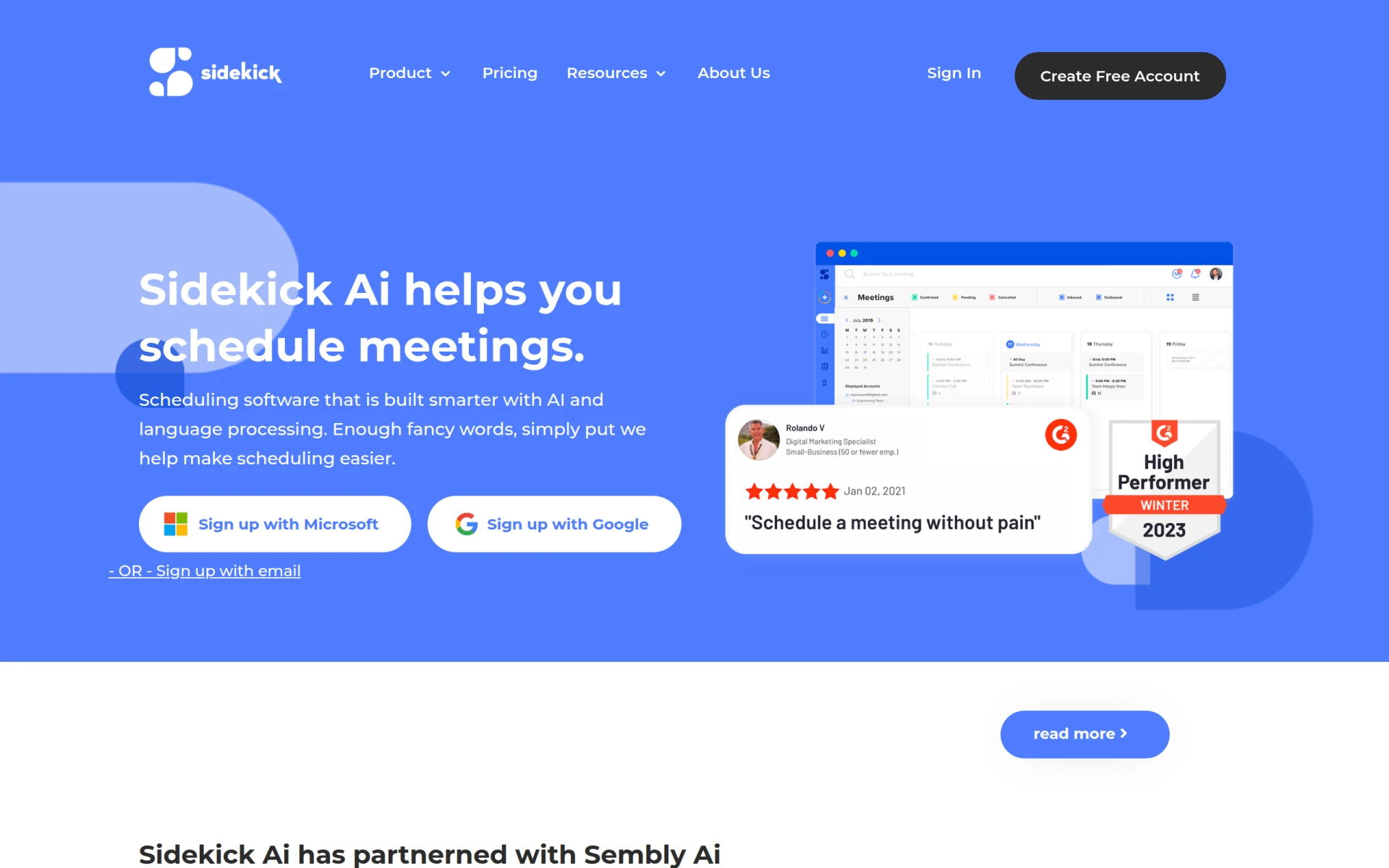 stands out as a robust alternative to Goodmeetings, particularly for those who prioritize integrated coordination through email and web applications. The tool leverages AI to streamline appointment scheduling, making it easy for users to manage meetings directly from their existing email platforms. Unlike Goodmeetings, which may require users to switch contexts, Sidekick allows for a seamless experience without sacrificing productivity. This is especially beneficial for teams that rely heavily on email communication, as it minimizes the need to juggle multiple applications.
Users who opt for Sidekick will appreciate its intuitive interface and the convenience of managing their schedules within their daily communication tools. The freemium model is also a significant advantage, allowing users to explore its features without initial financial commitment. Those who need more advanced capabilities can upgrade to the premium plan for just $5 per month. Overall, Sidekick is an excellent choice for users looking to enhance their meeting coordination without the hassle of switching between platforms.
- Key Strength: Seamless integration with email applications enhances user experience.
- Key Strength: Affordable premium plan at $5 per month.
- Key Strength: User-friendly interface that simplifies scheduling tasks.
- Limitation: Limited features in the free plan compared to competitors.
Pricing: Freemium - Premium plan for $5 per month. Best for: Teams heavily reliant on email for communication.
timeOS - Best for Actionable Meeting Management
timeOS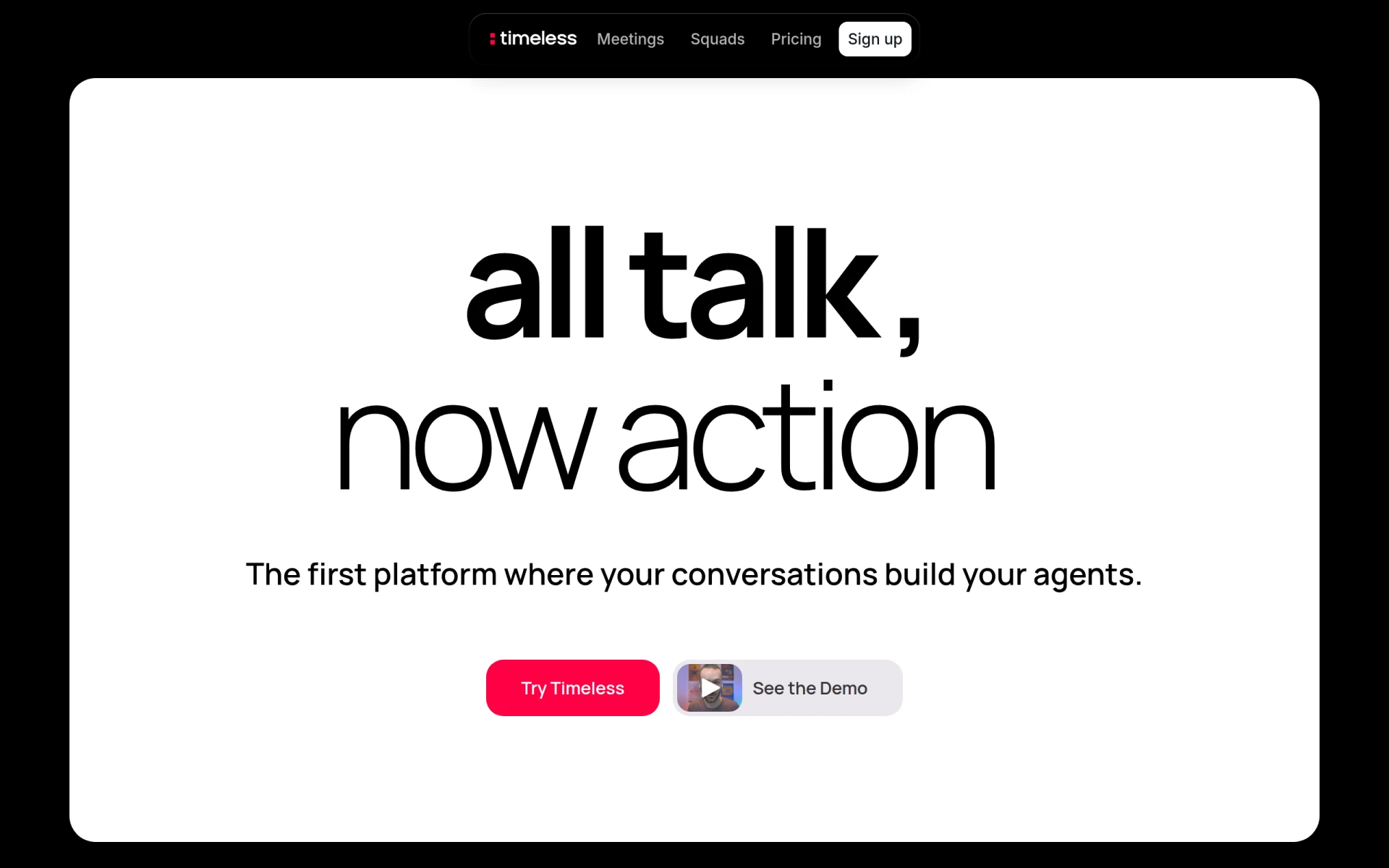 is a powerful meeting management tool that excels in capturing important conversations and transforming them into actionable tasks. This makes it an excellent alternative to Goodmeetings for users who want not just to schedule meetings but also to derive meaningful outcomes from them. timeOS prioritizes the productivity aspect of meetings by ensuring that discussions are documented and translated into concrete follow-up actions, which is a feature that Goodmeetings lacks. The ability to convert meeting notes into tasks directly within the platform enhances accountability and clarity among team members.
Moreover, timeOS operates on a freemium model, allowing users to start with a free plan while providing options to purchase additional meeting credits as needed. This flexibility is ideal for users who may have fluctuating requirements based on project demands. The tool’s emphasis on actionable outcomes sets it apart from Goodmeetings, which may not focus on post-meeting productivity as effectively. Thus, timeOS is best suited for teams looking to improve their meeting effectiveness through structured documentation and task management.
- Key Strength: Transforms meeting discussions into actionable tasks.
- Key Strength: Freemium model with options to purchase additional features.
- Key Strength: Focus on enhancing meeting productivity and accountability.
- Limitation: Users may need to buy additional credits for extensive use.
Pricing: Freemium with options to purchase additional meeting credits. Best for: Teams focused on actionable meeting outcomes.
Mina - Best for Real-Time Meeting Assistance
Mina is an innovative AI Meeting Assistant that elevates the meeting experience by listening, speaking, and executing tasks in real-time. This sets it apart from Goodmeetings, which primarily focuses on scheduling rather than enhancing the in-meeting experience. With Mina, users can engage in discussions while having the assistant manage tasks and take notes on their behalf. This feature is particularly beneficial for busy professionals who need to focus on dialogue without the distraction of manual note-taking or task management during meetings.
The freemium pricing model makes Mina accessible to a wide range of users, though specific pricing information is not publicly available. This flexibility allows teams to explore Mina’s capabilities without financial risk upfront. For those who frequently engage in meetings where note-taking and task assignment are critical to success, Mina provides a unique solution that can greatly enhance productivity and ensure that no important details are missed. By automating these processes, Mina is ideal for users who want to maximize their meeting efficiency.
- Key Strength: Real-time note-taking and task execution during meetings.
- Key Strength: AI-driven assistance enhances user engagement.
- Key Strength: Freemium model allows users to test features freely.
- Limitation: Specific pricing details are not disclosed, which may cause uncertainty.
Pricing: Freemium - Specific pricing information unavailable. Best for: Professionals needing real-time assistance in meetings.
Bluedot - Best for Simplified Note-Taking
Bluedot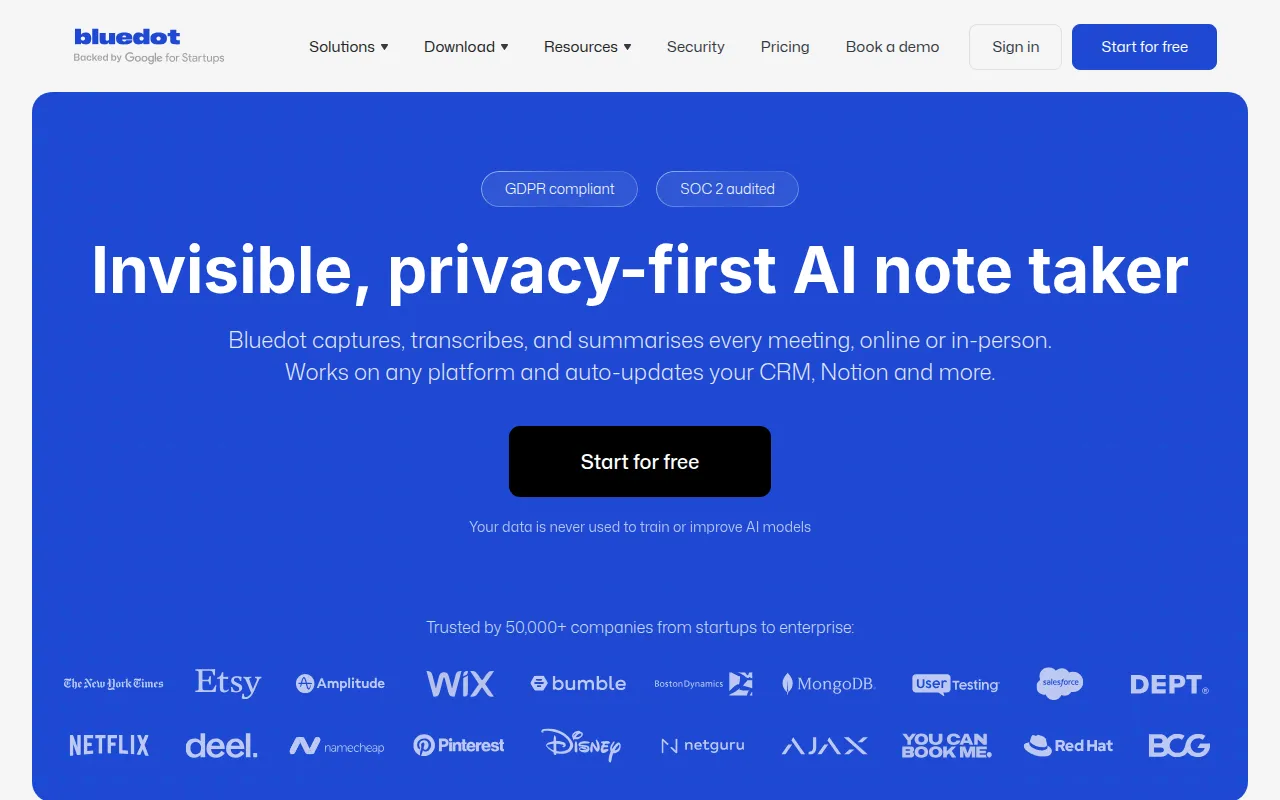 offers an AI-powered note-taking experience that captures and summarizes meeting notes without the need for external bots. This feature addresses a common frustration with Goodmeetings, where users may still need to manually document meeting outcomes. Bluedot’s ability to automatically summarize discussions ensures that key points are recorded accurately and efficiently, allowing users to focus on the conversation rather than on taking notes. This is especially useful for teams that value detailed documentation but may struggle with the time commitment usually involved in manual note-taking.
The tool operates on a freemium model, providing a free plan alongside paid plans starting at $14 per user per month. This pricing structure allows users to choose a plan that best fits their organizational needs. Bluedot’s unique selling proposition lies in its emphasis on capturing meeting content in real-time, which can be a game-changer for teams that rely heavily on detailed records for future reference. Overall, Bluedot is an exceptional choice for users seeking an efficient and effective note-taking solution.
- Key Strength: AI-driven summarization of meeting notes enhances accuracy.
- Key Strength: No need for external bots simplifies the user experience.
- Key Strength: Affordable starting price at $14 per user per month.
- Limitation: The free plan may lack advanced features available in paid plans.
Pricing: Freemium - Paid plans starting at $14 per user per month. Best for: Teams needing efficient note-taking solutions.
Heyday - Best for Workflow Automation
Heyday is designed as a comprehensive workflow automation tool that simplifies task management and enhances collaboration among team members. Unlike Goodmeetings, which focuses primarily on scheduling, Heyday offers a broader range of automation features that can streamline various workflows in the workplace. This makes it especially appealing for teams looking to reduce repetitive tasks and improve overall productivity. Users can create customized workflows that integrate seamlessly with their existing tools, ensuring a cohesive work environment.
The freemium model allows users to start with basic features at no cost, although specific pricing details are not publicly available. This can be advantageous for teams exploring automation solutions without immediate financial commitment. Additionally, Heyday's focus on collaboration ensures that all team members are aligned, which is essential for successful project execution. By providing a platform that fosters communication and organization, Heyday stands out as a versatile alternative for users seeking to enhance their workflow efficiency.
- Key Strength: Comprehensive workflow automation enhances overall productivity.
- Key Strength: Customizable workflows adapt to varied team needs.
- Key Strength: Freemium model allows for initial exploration without cost.
- Limitation: Limited information on specific pricing may hinder decision-making.
Pricing: Freemium - Specific details not available. Best for: Teams looking for comprehensive workflow automation.
WorkFlowPro - Best for Process Optimization
WorkFlowPro is a dedicated workflow automation tool that focuses on improving productivity by simplifying task management and optimizing processes. Compared to Goodmeetings, which primarily emphasizes scheduling, WorkFlowPro provides a more extensive range of features aimed at enhancing overall operational efficiency. Users can create automated workflows that streamline repetitive tasks, ensuring that team members can focus on higher-value activities rather than mundane administrative duties.
The freemium pricing model allows teams to explore its features without upfront costs, although specific pricing information is not currently available. This makes it an attractive option for organizations looking to implement automation without financial risk. WorkFlowPro's emphasis on process optimization makes it a valuable tool for teams aiming to enhance their operational efficiency. By reducing the time spent on repetitive tasks, users can devote more energy to strategic initiatives that drive business growth.
- Key Strength: Focus on optimizing processes enhances overall team efficiency.
- Key Strength: Ability to automate repetitive tasks minimizes manual effort.
- Key Strength: Freemium model allows for risk-free exploration of features.
- Limitation: Lack of transparent pricing may cause uncertainty for some users.
Pricing: Freemium - Specific details not available. Best for: Teams focused on process optimization.
KiloClaw - Best for Comprehensive Task Management
KiloClaw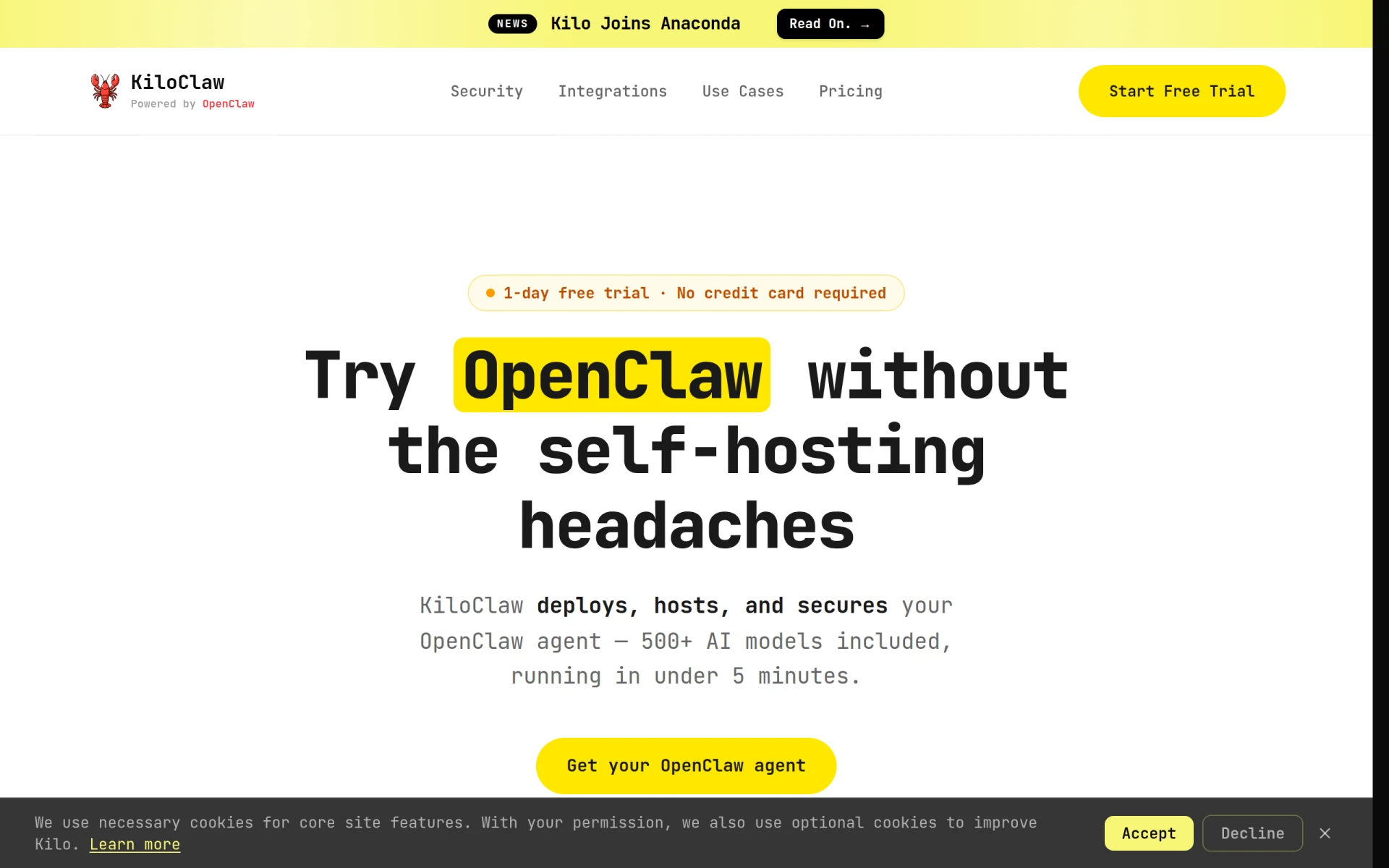 serves as an AI assistant that efficiently automates email management, calendar scheduling, and project monitoring. This holistic approach to productivity stands in contrast to Goodmeetings, which primarily focuses on appointment scheduling. KiloClaw's ability to integrate multiple aspects of task management allows teams to streamline their workflows significantly. Users can manage their schedules and tasks from a single platform, reducing the need for switching between applications and improving overall productivity.
The freemium subscription plan with a free trial provides teams the opportunity to evaluate KiloClaw's capabilities without financial commitment. Although specific pricing details are not disclosed, the flexibility of a trial period is a significant advantage for teams that want to ensure the tool meets their needs. KiloClaw’s comprehensive task management features make it particularly suitable for teams that juggle multiple projects and need a reliable solution to keep everything organized. This makes it an ideal alternative for users seeking to enhance their productivity through an integrated approach.
- Key Strength: Comprehensive automation of email and calendar management.
- Key Strength: Integrates project monitoring to ensure all tasks are on track.
- Key Strength: Freemium model with a free trial for initial exploration.
- Limitation: Lack of detailed pricing information may lead to uncertainty.
Pricing: Freemium - Free trial available. Best for: Teams needing comprehensive task and project management.
Off/Script - Best for Streamlined Task Management
Off/Script is a workflow automation tool that enhances productivity by simplifying task management. Unlike Goodmeetings, which is primarily focused on scheduling, Off/Script emphasizes the importance of streamlined processes that reduce friction in team collaboration. Users can automate routine tasks, which allows them to focus on more strategic initiatives. This tool is particularly appealing for teams looking to improve their efficiency and ensure that all members are aligned on project goals and deadlines.
The freemium model provides an accessible entry point for users, although specific pricing details are not publicly available. This flexibility encourages teams to explore Off/Script’s capabilities without immediate financial pressure. The tool's focus on streamlined task management positions it as a valuable alternative for organizations seeking to enhance their workflow processes. By automating repetitive tasks, teams can improve their overall productivity and maintain a higher level of engagement with their work.
- Key Strength: Emphasis on streamlining task management enhances team collaboration.
- Key Strength: Ability to automate routine tasks reduces manual workload.
- Key Strength: Freemium model allows for risk-free exploration of features.
- Limitation: Lack of specific pricing information may hinder decision-making.
Pricing: Freemium - Specific details not available. Best for: Teams focused on streamlined task management.
Paperclips Web - Best for Customizable Automation
Paperclips Web is a workflow automation tool tailored to simplify and enhance productivity through customizable automation. This capability allows users to create workflows that are specifically suited to their unique processes, unlike Goodmeetings, which may offer a more one-size-fits-all approach to scheduling. The ability to customize automation workflows empowers teams to enhance their efficiency and ensure that all tasks are handled according to their specific needs.
With a freemium model, Paperclips Web allows users to test its capabilities without initial financial commitment, though specific pricing information remains unavailable. This accessibility encourages teams to explore the tool and determine if it aligns with their operational needs. The focus on customizable automation makes Paperclips Web a valuable alternative for users who wish to tailor their productivity solutions to fit their specific workflows and enhance overall performance.
- Key Strength: Customizable automation workflows enhance user experience.
- Key Strength: Freemium model allows for initial exploration without cost.
- Key Strength: Focus on enhancing productivity through tailored solutions.
- Limitation: Lack of transparent pricing information may create uncertainty.
Pricing: Freemium - Specific details not available. Best for: Users seeking customizable automation solutions.
QuickSearchPlus - Best for Unified Calendar Management
QuickSearchPlus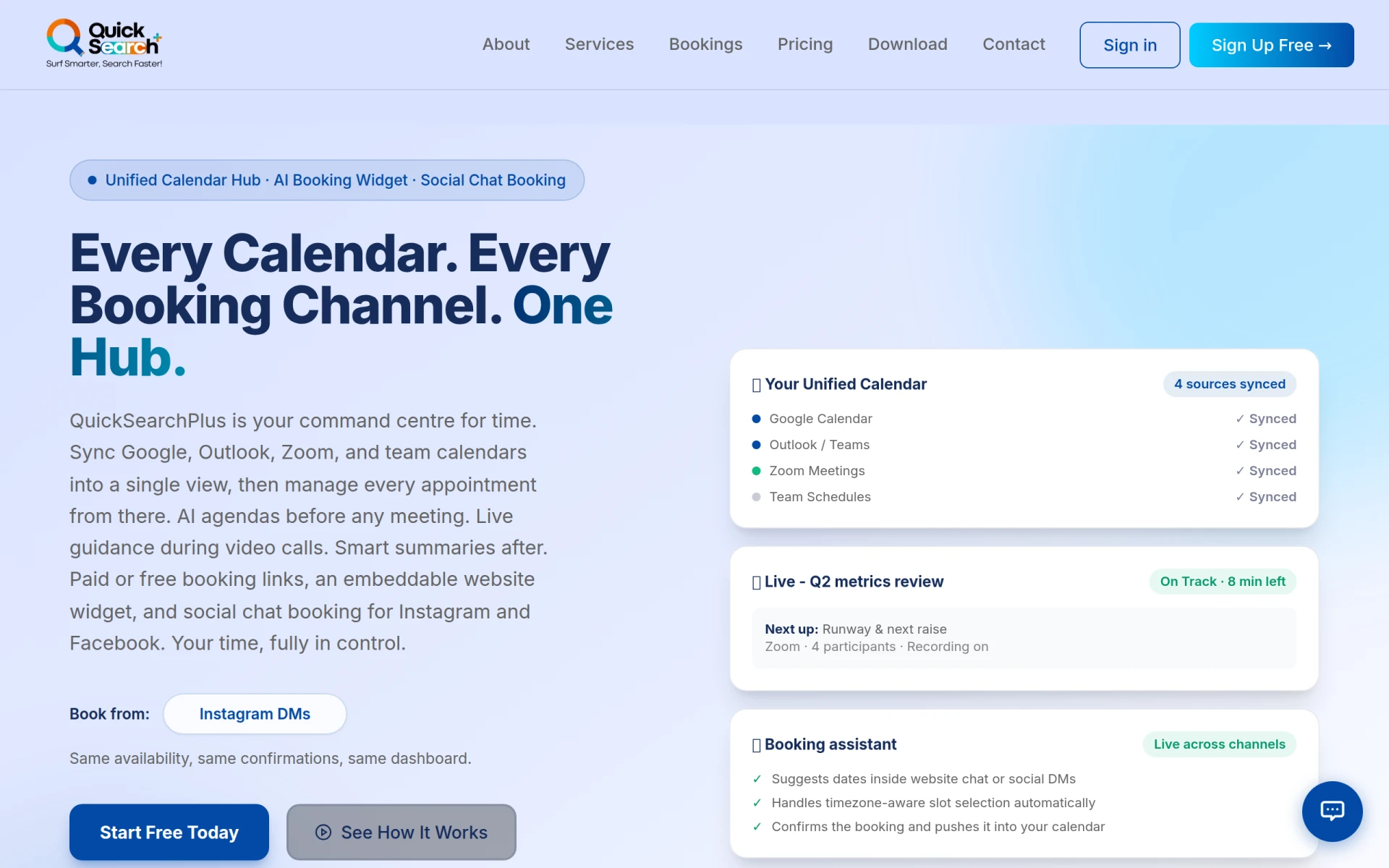 offers an AI-driven appointment scheduling tool that unifies calendars and facilitates bookings through social media and a website widget. This feature allows users to manage their schedules seamlessly across different platforms, which is a distinct advantage over Goodmeetings, which may not provide the same level of integration. QuickSearchPlus's capability to unify various calendars ensures that users do not miss important appointments and can manage their time effectively.
The freemium pricing model, along with various subscription options, provides users with flexibility in choosing a plan that suits their needs. This transparency in pricing is a significant advantage for teams that prefer clear financial commitments. QuickSearchPlus is ideal for professionals who frequently manage appointments across multiple platforms and need a reliable solution to keep everything organized in one place. Its user-friendly interface and integration capabilities make it a strong contender in the appointment scheduling space.
- Key Strength: Unified calendar management enhances scheduling efficiency.
- Key Strength: Integration with social media for easy bookings.
- Key Strength: Transparent pricing model with a free forever plan.
- Limitation: Limited advanced features compared to paid alternatives.
Pricing: Freemium - Free forever plan with various subscription options. Best for: Professionals managing multiple appointment platforms.
Project Mirage - Best for Simplifying Online Meetings
Project Mirage is designed to simplify online meetings and enhance development processes. By focusing on meeting management, it offers features that can significantly improve user experience compared to Goodmeetings, which primarily deals with scheduling. Project Mirage provides tools that cater to the specific needs of development teams, making it an ideal choice for organizations that require robust meeting management solutions integrated with their project development workflows.
Pricing details are not publicly available, but potential users can contact the company for more information. This can create a barrier for some teams, but the tailored features for development processes may justify the inquiry. The emphasis on simplifying online meetings makes Project Mirage a valuable alternative for teams looking to enhance their meeting effectiveness and ensure that discussions lead to actionable outcomes. This focus on development processes can better support teams in achieving their project goals.
- Key Strength: Tailored features for development teams enhance meeting effectiveness.
- Key Strength: Focus on simplifying online meetings improves overall user experience.
- Key Strength: Designed specifically for project management workflows.
- Limitation: Lack of transparent pricing may deter some users.
Pricing: Contact - Specific information not available. Best for: Development teams seeking tailored meeting management solutions.
Clevis - Best for Integrated Application Automation
Clevis serves as a workflow automation tool designed to optimize productivity by integrating various applications and automating repetitive tasks. This capability allows teams to streamline their workflows significantly, which is a major advantage over Goodmeetings that primarily focuses on scheduling. Clevis’s ability to connect different applications enables users to create a more cohesive work environment, reducing the time spent on manual tasks and improving overall efficiency.
The freemium model allows users to explore Clevis's features without initial financial commitment, although specific pricing information is not available on their website. This flexibility can be appealing for teams looking to implement automation solutions without upfront costs. Clevis’s focus on integrating applications makes it an excellent choice for users seeking to enhance their workflows through automation and connectivity. This positions Clevis as a valuable alternative for teams aiming to optimize their productivity.
- Key Strength: Integration with various applications enhances workflow efficiency.
- Key Strength: Focus on automating repetitive tasks reduces manual effort.
- Key Strength: Freemium model allows for risk-free exploration of features.
- Limitation: Lack of transparent pricing may create uncertainty for potential users.
Pricing: Freemium - Specific details not available. Best for: Teams seeking integrated application automation.
Brief My Meeting - Best for Personalized Meeting Preparation
Brief My Meeting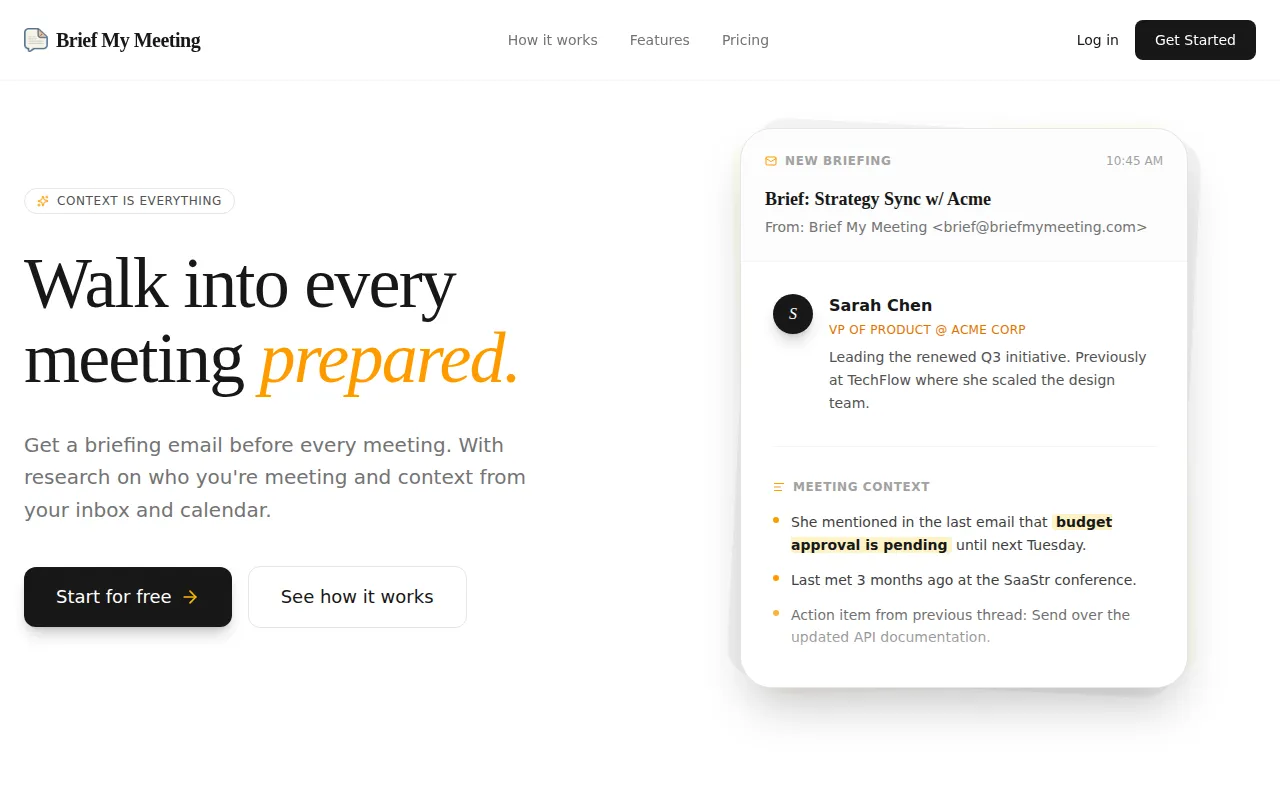 offers AI-powered briefings that help users prepare for meetings with personalized context derived from emails and calendars. This feature significantly enhances pre-meeting preparation, a capability that Goodmeetings does not emphasize. By providing users with tailored information, Brief My Meeting ensures that they can enter meetings fully prepared, which can lead to more productive discussions and outcomes. This is particularly beneficial for professionals who need to recall specific details or follow-ups from previous interactions.
The freemium model allows users to access basic features without upfront costs, although specific pricing information is not publicly available. This flexibility enables teams to assess the tool's effectiveness in improving their meeting preparedness before committing financially. By focusing on personalized preparation, Brief My Meeting is an excellent alternative for users who want to enhance their readiness and overall effectiveness in meetings, ensuring that they can engage more meaningfully with their colleagues and stakeholders.
- Key Strength: AI-powered briefings enhance meeting preparedness.
- Key Strength: Personalized context from emails and calendars provides valuable insights.
- Key Strength: Freemium model allows for initial exploration without cost.
- Limitation: Specific pricing details are not disclosed, leading to potential uncertainty.
Pricing: Freemium - Specific details not available. Best for: Professionals seeking enhanced meeting preparation.
Noty.ai - Best for Efficient Task Tracking
Noty.ai is an AI-powered meeting assistant designed to help users track and manage work-related tasks efficiently. This tool emphasizes task tracking and organization, which are critical for maintaining productivity after meetings. Unlike Goodmeetings, which mainly focuses on scheduling, Noty.ai ensures that users can keep track of tasks discussed in meetings, making it easier to follow up and maintain accountability. This feature is particularly useful for teams that want to ensure that discussions lead to actionable results and that nothing falls through the cracks.
The freemium model allows users to get started with the tool without any financial commitment, although specific pricing information is not available. This accessibility is beneficial for teams looking to enhance their task management capabilities. By focusing on task tracking, Noty.ai offers a significant value proposition for teams that want to improve their post-meeting productivity and ensure that all team members are aligned on their responsibilities and deliverables.
- Key Strength: AI-driven task tracking improves post-meeting accountability.
- Key Strength: Focus on efficient management of work-related tasks.
- Key Strength: Freemium model allows for initial exploration without cost.
- Limitation: Lack of specific pricing information may create uncertainty.
Pricing: Freemium - Specific details not available. Best for: Teams focused on efficient task tracking and management.
CoLumbo - Best for Simplified Task Management
CoLumbo is a workflow automation tool designed to enhance productivity by simplifying task management and collaboration among team members. Its approach contrasts with Goodmeetings, which primarily focuses on scheduling. CoLumbo emphasizes the importance of streamlined processes and task accountability, making it a valuable alternative for teams looking to improve their collaborative efforts. With a focus on facilitating communication and organization, CoLumbo helps ensure that all team members are aligned on project goals and deadlines.
The freemium model allows teams to explore its features without upfront costs, although specific pricing information is not available. This flexibility encourages users to assess the tool's effectiveness in enhancing their workflows before making a financial commitment. CoLumbo’s focus on simplifying task management makes it an excellent choice for teams seeking to enhance their productivity and ensure that projects are completed efficiently. By reducing the complexity of task management, CoLumbo helps teams to maintain focus on their core objectives.
- Key Strength: Simplifies task management and enhances team collaboration.
- Key Strength: Focus on streamlined processes improves overall productivity.
- Key Strength: Freemium model allows for risk-free exploration of features.
- Limitation: Lack of transparent pricing may cause uncertainty for potential users.
Pricing: Freemium - Specific details not available. Best for: Teams seeking simplified task management and collaboration.
Feature Comparison Table
| Tool | Best For | Starting Price | Free Plan | Standout Feature |
|---|
| Goodmeetings | Appointment Scheduling | Freemium | Yes | AI-driven scheduling |
| Sidekick | Email Integration | Freemium, $5/mo | Yes | Integrated email scheduling |
| timeOS | Actionable Meeting Management | Freemium | Yes | Turns discussions into tasks |
| Mina | Real-Time Assistance | Freemium | Yes | Real-time task execution |
| Bluedot | Note-Taking | Freemium, $14/user/mo | Yes | AI-powered summarization |
| Heyday | Workflow Automation | Freemium | Yes | Customizable workflows |
| WorkFlowPro | Process Optimization | Freemium | Yes | Automates repetitive tasks |
| KiloClaw | Task Management | Freemium | Yes | Email and calendar automation |
| Off/Script | Streamlined Management | Freemium | Yes | Automates routine tasks |
| Paperclips Web | Customizable Automation | Freemium | Yes | Tailored automation workflows |
| QuickSearchPlus | Unified Calendar Management | Freemium | Yes | Social media integration |
| Project Mirage | Development Processes | Contact | No | Online meeting simplification |
| Clevis | Application Integration | Freemium | Yes | Automates repetitive tasks |
| Brief My Meeting | Meeting Preparation | Freemium | Yes | AI-powered briefings |
| Noty.ai | Task Tracking | Freemium | Yes | Efficient task management |
| CoLumbo | Simplified Management | Freemium | Yes | Streamlined task management |
How to Choose the Right Alternative to Goodmeetings
When selecting an alternative to Goodmeetings, it is essential to assess your specific needs and workflows. If your team heavily relies on email for scheduling and communication, Sidekick may be the ideal choice due to its seamless integration with email applications. For those focused on improving meeting productivity through structured documentation, timeOS or Mina may offer the features necessary to enhance accountability and follow-up actions. Users prioritizing streamlined task management should consider tools like Off/Script or CoLumbo, which emphasize simplifying processes and enhancing collaboration.
Additionally, consider your budget and the importance of having transparent pricing. Tools like QuickSearchPlus offer a freemium model with clear subscription options, making it easier to plan your finances. Conversely, if your team requires robust automation capabilities across multiple applications, Clevis or Heyday may be better suited for your needs. Take the time to explore the features and pricing of each alternative to ensure that you select a tool that aligns with your organizational goals and enhances overall productivity.
Final Verdict
In summary, while Goodmeetings offers AI-driven scheduling, its limitations in features and pricing transparency may drive users to seek alternatives. For those requiring seamless email integration, Sidekick is an excellent choice. Teams focused on actionable meeting management may find timeOS or Mina to be invaluable. Ultimately, selecting the right tool depends on your specific use case and team dynamics, ensuring that you enhance productivity and streamline workflows effectively.