Why Look for Alternatives to Kaiber?
Kaiber is a video editing tool that has gained popularity among musicians for its ability to create visually stunning music-synced videos with relative ease. However, despite its appealing features, many users find themselves facing limitations that lead them to seek alternatives. One significant concern revolves around pricing; Kaiber operates on a freemium model, but lacks clear pricing details for its premium options, creating uncertainty for potential users who may require specific features for their projects. This lack of transparency can deter serious content creators looking for reliable and predictable costs associated with their editing tools.
Additionally, while Kaiber excels in music-synced video creation, it may not meet the diverse needs of all video producers. Users may find the platform lacking in features such as advanced editing capabilities, collaboration tools, or the ability to work with various media formats. Furthermore, some users have noted that Kaiber's user interface can be less intuitive than desired, making it challenging for beginners to navigate. These common pain points—ranging from unclear pricing to limited functionality—have prompted many to explore other video editing tools that can better serve their creative requirements.
Best Alternatives to Kaiber in 2026
Videoleap - Best for Intuitive Editing
Videoleap is an intuitive video editing app that brings together professional-grade features with user-friendly tools, making it an attractive alternative to Kaiber for many content creators. Unlike Kaiber, which primarily focuses on music videos, Videoleap offers a broader range of editing options, allowing users to create everything from vlogs to social media clips. The app is designed to cater to both novices and seasoned editors, providing an easy-to-navigate interface that simplifies the editing process. Users can enjoy features like layer-based editing, special effects, and extensive audio libraries, all of which contribute to a more versatile editing experience.
For musicians or content creators looking to produce videos that combine various elements, Videoleap's extensive toolkit stands out. The app enables users to add text, stickers, and effects seamlessly, giving creators the flexibility to express their artistic vision more freely. Additionally, Videoleap's strong community support and frequent updates ensure that users have access to the latest features and enhancements. Overall, Videoleap is ideal for those who want a powerful yet accessible video editing tool that can adapt to multiple creative needs.
- Key Strength: Offers advanced editing features like layer-based editing, which Kaiber lacks.
- Key Strength: User-friendly interface that simplifies the editing process for beginners.
- Key Strength: Extensive library of audio tracks and effects for diverse video projects.
- Limitation: Some advanced features may require in-app purchases.
Pricing: Freemium model with a free version and premium features available through paid subscriptions. Best for: Users seeking an intuitive and versatile video editing experience.
Clipchamp - Best for Online Editing
Clipchamp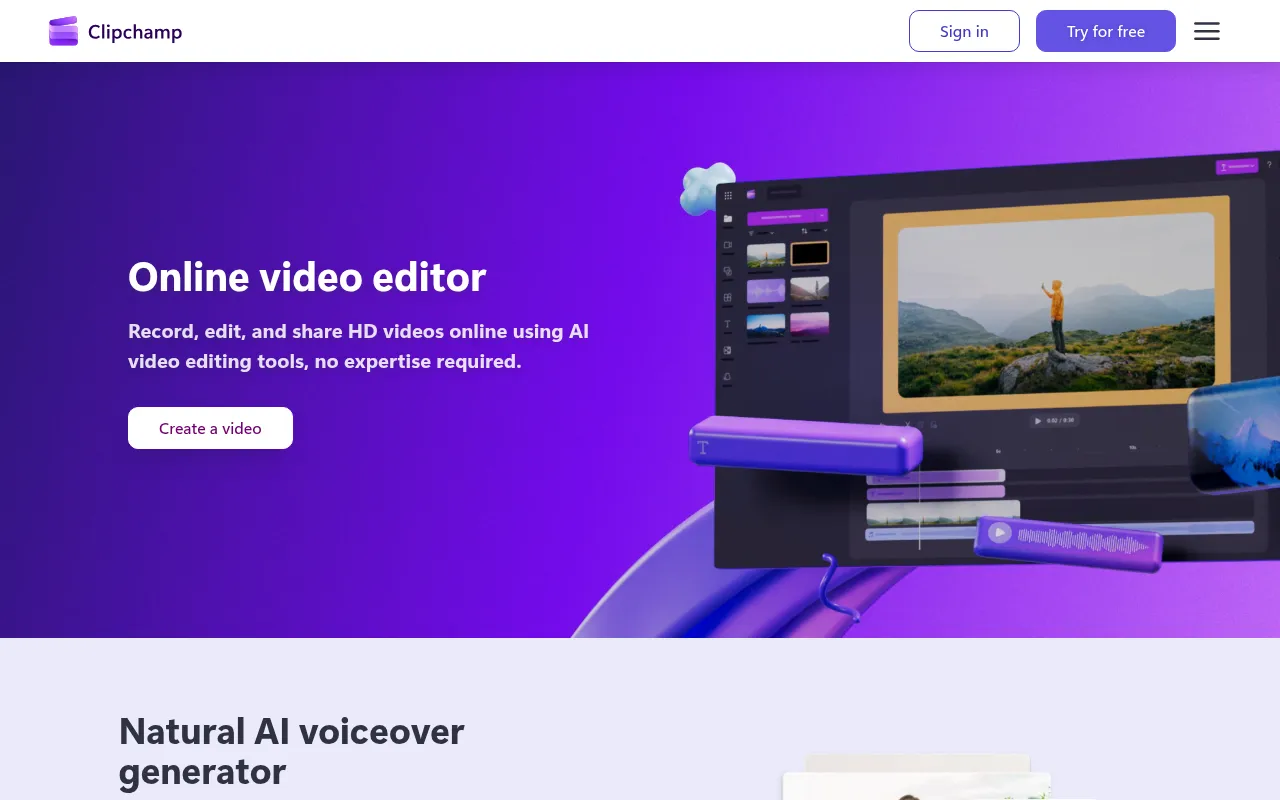 is an online video editing tool that provides a straightforward platform for creating and editing videos without any prior expertise. This makes it an appealing alternative to Kaiber, particularly for users who prefer a cloud-based solution that allows for easy access and collaboration. Unlike Kaiber, Clipchamp supports a variety of video formats and provides users with built-in stock footage and audio, making it an excellent choice for those looking to enhance their videos without needing additional resources. The platform’s user-friendly drag-and-drop interface allows creators to assemble their content quickly, which is especially beneficial for those working under tight deadlines.
Moreover, Clipchamp integrates seamlessly with Microsoft 365, giving users access to additional tools and resources that can further streamline the editing process. This connection to a larger suite of productivity tools makes Clipchamp an attractive option for businesses and teams that require collaboration features. While Kaiber focuses primarily on music-related content, Clipchamp’s versatility allows it to cater to a wider audience, making it a go-to choice for anyone from social media influencers to corporate video producers.
- Key Strength: Cloud-based platform enabling easy access and collaboration among users.
- Key Strength: Built-in stock footage and audio, which enhance video production without extra cost.
- Key Strength: Integrates well with Microsoft 365, providing additional editing tools.
- Limitation: Some advanced features are gated behind a subscription model.
Pricing: Freemium model with free access and premium features available through Microsoft 365 subscriptions. Best for: Users looking for an easy-to-use online video editor with collaborative features.
Similar Video - Best for AI-Powered Editing
Similar Video is an AI-powered tool designed to simplify the video editing process by generating content effortlessly. This makes it a strong contender against Kaiber, especially for users who may not have extensive editing experience but want to create engaging videos quickly. Unlike Kaiber, which is centered around music-synced videos, Similar Video leverages AI technology to automate much of the editing process, enabling users to produce high-quality videos with minimal effort. This is particularly beneficial for busy creators or marketers who need to generate content rapidly without sacrificing quality.
The AI capabilities of Similar Video allow it to analyze user preferences and automatically suggest edits, transitions, and effects that suit the content. This feature sets it apart from Kaiber, where users must manually adjust and refine their videos. By streamlining the editing process, Similar Video empowers users to focus more on creativity rather than technical details, making it an ideal choice for individuals or businesses looking to enhance their video marketing strategies without investing significant time in learning complex editing tools.
- Key Strength: AI-driven automation simplifies the editing process and enhances productivity.
- Key Strength: Offers suggestions for edits based on user preferences, saving time.
- Key Strength: Ideal for quick content creation without the need for extensive editing skills.
- Limitation: May not provide the same level of control as manual editing tools.
Pricing: Freemium model with no public pricing details available. Best for: Users seeking quick and automated video creation without extensive editing experience.
CapCut - Best for Social Media Content
CapCut is a user-friendly video editing tool specifically designed for creating engaging content across various social media platforms. It stands out as an alternative to Kaiber, particularly for users focused on making short, impactful videos that resonate with online audiences. CapCut’s extensive library of effects, filters, and templates allows creators to elevate their content quickly, making it an excellent choice for influencers and marketers. Unlike Kaiber, CapCut is tailored to the social media landscape, offering features that cater to the specific needs of platforms like TikTok and Instagram.
Additionally, CapCut provides seamless integration with social media channels, enabling users to share their creations directly from the app. This functionality makes it an ideal solution for content creators who need to produce and distribute videos efficiently. The app also offers a variety of editing tools, including the ability to trim, split, and adjust video speeds, giving users greater flexibility in crafting their narratives. While Kaiber focuses on music synchronization, CapCut's comprehensive suite of features is geared towards maximizing engagement on social media, making it a go-to choice for creators in that space.
- Key Strength: Extensive library of effects and templates specifically designed for social media.
- Key Strength: Direct sharing capabilities streamline the posting process across platforms.
- Key Strength: Offers a wide range of editing tools to enhance video storytelling.
- Limitation: Primarily focused on short-form content, which may not suit all creators.
Pricing: Freemium model with in-app purchases for additional features. Best for: Social media content creators looking for an easy-to-use editing tool.
Argil - Best for Customizable Avatars
Argil is an AI-powered video editing tool that allows users to create engaging videos using customizable avatars. This unique feature makes it an exceptional alternative to Kaiber for users who wish to add a personal touch to their content. Unlike Kaiber, which primarily focuses on music videos, Argil offers a more diverse range of creative possibilities. Users can create animated videos featuring avatars that can be tailored to fit their specific themes and messages, making it an ideal choice for educational content, marketing, and more. The ability to customize avatars enhances viewer engagement and helps convey messages more effectively.
Argil also provides a user-friendly interface that simplifies the video creation process, allowing even those with minimal technical expertise to produce high-quality videos. The platform supports various media formats, enabling users to incorporate images, audio, and text easily. While Kaiber is more suited for musicians seeking to create music videos, Argil's flexibility and focus on avatar-driven content allow it to cater to a wider audience, including educators and marketers looking to create compelling narratives.
- Key Strength: Customizable avatars enhance viewer engagement and personalization.
- Key Strength: User-friendly interface simplifies video creation for all skill levels.
- Key Strength: Supports various media formats for versatile content creation.
- Limitation: Pricing may be prohibitive for casual users or those on a tight budget.
Pricing: Classic plan at $39 per month and Pro plan at $149 per month. Best for: Creators looking for customizable avatar options in their videos.
KaraVideo - Best for Fast Animated Video Creation
KaraVideo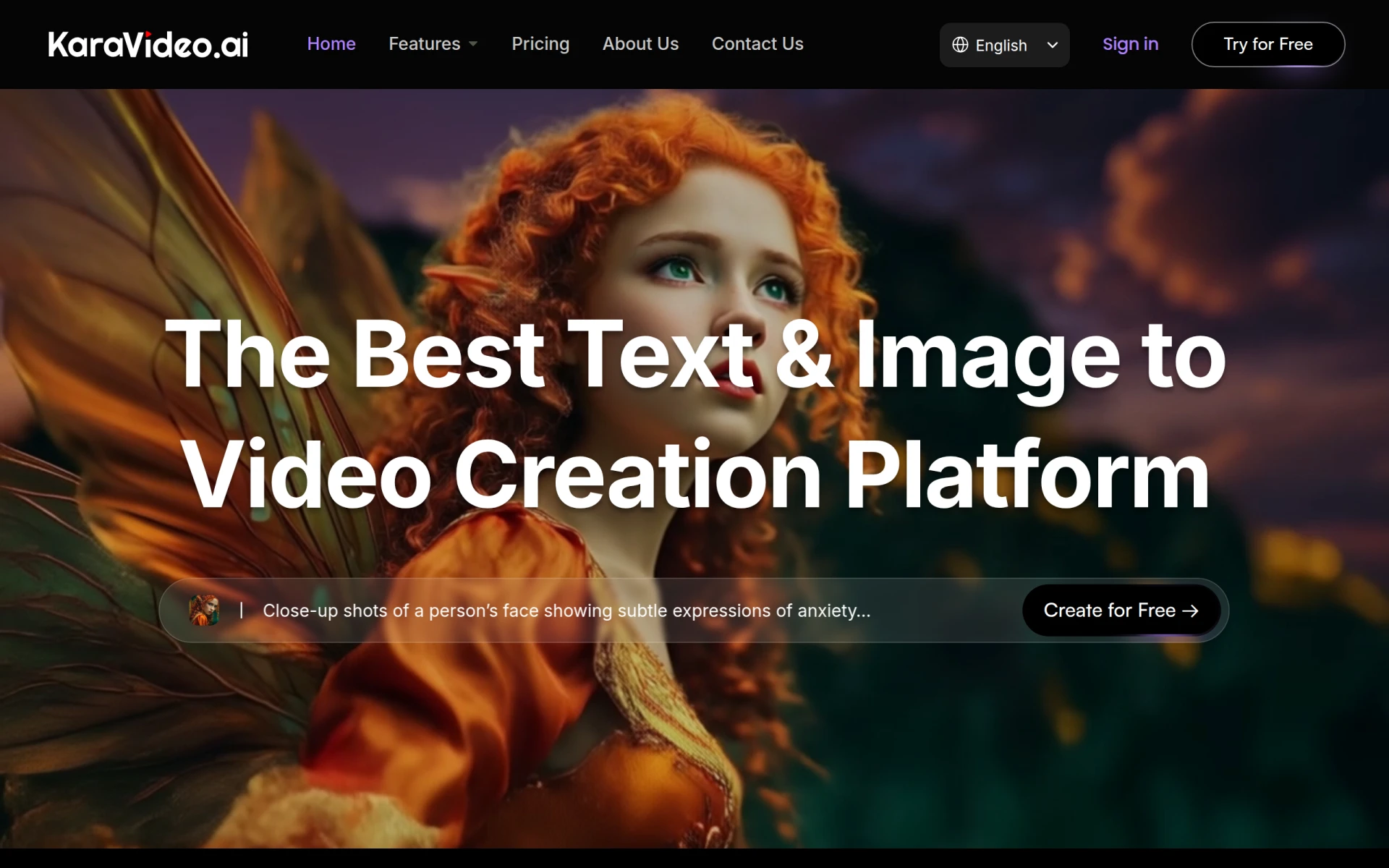 is an innovative tool that transforms text and images into animated videos using AI, making it particularly suitable for users who need to create engaging content quickly. This sets it apart from Kaiber, which, while effective for music videos, may not cater to those looking for rapid video production. KaraVideo's AI-driven approach allows users to input simple text and images, which the platform then animates to create visually appealing videos. This is especially beneficial for educators and marketers who require content that conveys information quickly and effectively without investing extensive time in editing.
Moreover, KaraVideo’s straightforward interface enables users to produce videos without prior editing experience. The platform’s ability to generate animated content from static images and text allows users to convey complex ideas in an engaging format that attracts viewers' attention. This aspect of KaraVideo makes it an excellent alternative for those who want to enhance their digital storytelling without the learning curve associated with more complex tools like Kaiber. Overall, KaraVideo is an ideal solution for anyone seeking an efficient way to create animated videos for various applications.
- Key Strength: Transforms text and images into animated videos quickly and effortlessly.
- Key Strength: Ideal for users needing fast and engaging content creation.
- Key Strength: Simple interface requires no prior editing skills.
- Limitation: May lack the advanced editing features of more dedicated editing tools.
Pricing: Freemium model with various pricing plans available. Best for: Users needing quick animated video creation without extensive editing experience.
Vid.AI - Best for Simplified Video Creation
Vid.AI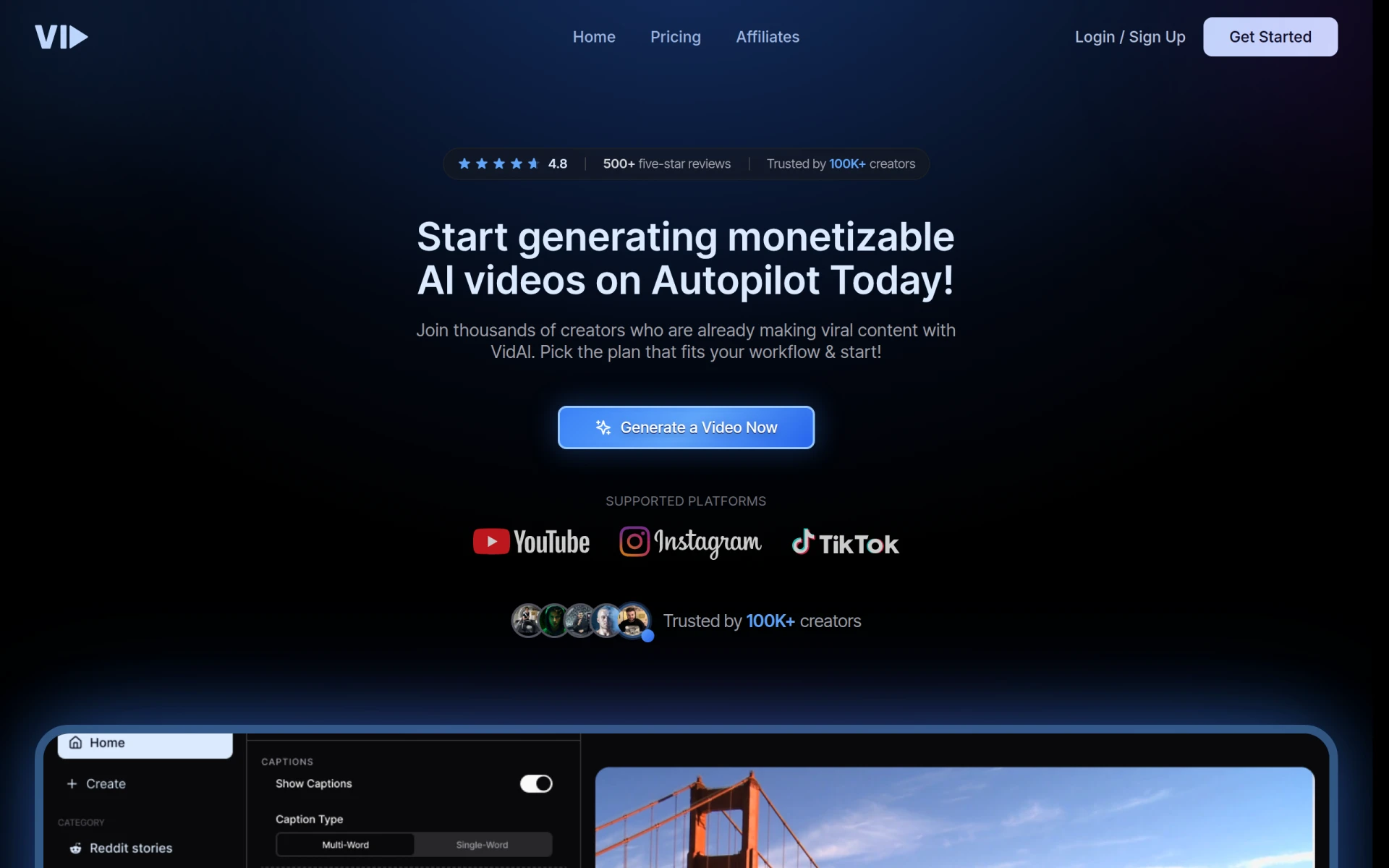 is a video editing tool that leverages artificial intelligence to simplify the video creation process, making it accessible for users of all skill levels. This sets it apart from Kaiber, which may require more hands-on editing for optimal results. Vid.AI's AI-driven features enable users to create professional-looking videos with minimal effort, allowing even those without prior editing experience to produce high-quality content. The platform is designed to assist users in generating videos quickly, making it an ideal choice for marketers, educators, and content creators who need to produce engaging content rapidly.
Another advantage of Vid.AI is its ability to analyze input content and suggest edits, transitions, and effects that enhance the overall quality of the video. This feature not only saves time but also helps users achieve polished results without the need for extensive editing knowledge. While Kaiber excels in music video editing, Vid.AI’s focus on simplifying the video creation process makes it a better fit for those looking for efficiency and ease of use. Consequently, it serves as a valuable alternative for users prioritizing quick video production without compromising quality.
- Key Strength: AI-driven automation streamlines the video creation process for all users.
- Key Strength: Suggests edits and transitions based on content analysis.
- Key Strength: Ideal for marketers and educators needing fast, professional-quality videos.
- Limitation: Pricing details are currently unavailable, which may cause hesitation for potential users.
Pricing: Freemium model with no public pricing details available. Best for: Users looking for simplified video creation using AI technology.
Magic Hour AI - Best for Diverse Creative Tools
Magic Hour AI offers over 100 free AI tools for video and image creation, providing a comprehensive suite of resources for content creators. This versatility makes it a notable alternative to Kaiber, particularly for users who require a wide range of creative options. Unlike Kaiber, which focuses primarily on music-synced video production, Magic Hour AI empowers users to explore various formats and styles, allowing for more diverse content creation. The platform's extensive toolset includes features for video editing, image enhancement, and even audio manipulation, making it a one-stop-shop for many creative needs.
One of the standout features of Magic Hour AI is its subscription model, which starts at a low price point, allowing users to access advanced tools without a significant financial commitment. This affordability, coupled with the breadth of tools available, positions Magic Hour AI as an excellent choice for freelancers, small businesses, and hobbyists alike. While Kaiber may excel in its niche, Magic Hour AI's comprehensive approach to creative tools allows users to experiment and innovate, making it a valuable resource for anyone looking to expand their video and image production capabilities.
- Key Strength: Offers a wide range of over 100 AI tools for diverse creative needs.
- Key Strength: Affordable subscription model starting at $15 per month.
- Key Strength: Comprehensive resources for video, image, and audio creation.
- Limitation: May overwhelm users who prefer a more straightforward editing experience.
Pricing: Subscription starting at $15 per month for the Creator plan. Best for: Creators looking for a diverse range of AI tools for various media projects.
HiClip - Best for Short Clip Creation
HiClip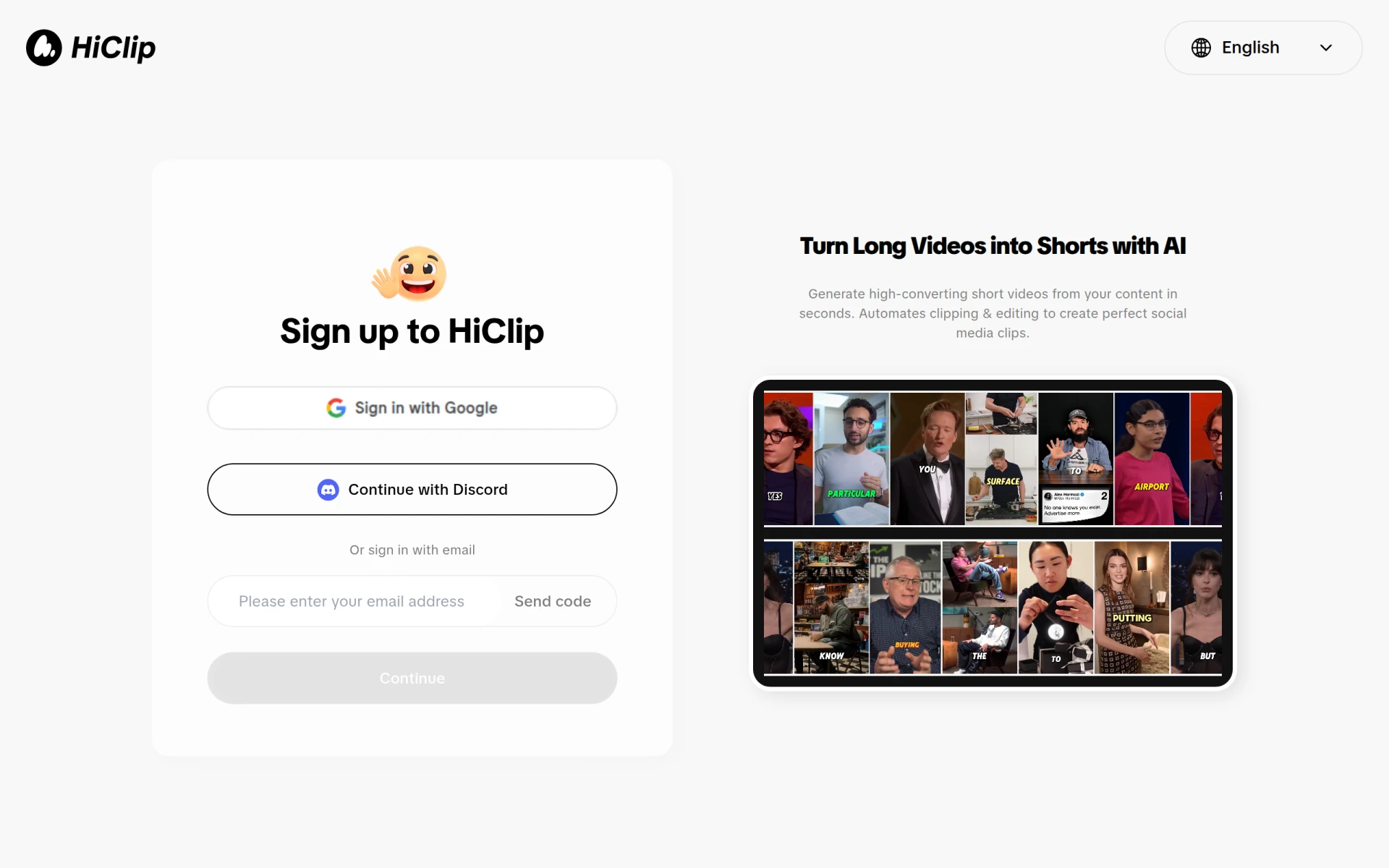 is an AI-powered video editing tool that specializes in transforming long videos into engaging short clips suitable for social media. This unique functionality makes it a compelling alternative to Kaiber, particularly for users focused on producing bite-sized content that captures audience attention. Unlike Kaiber, which primarily targets music video creators, HiClip's strength lies in its ability to condense and edit longer footage into impactful clips, making it ideal for marketers and social media influencers. The AI capabilities of HiClip help identify key moments in the footage, ensuring that the final product is both engaging and relevant to viewers.
Furthermore, HiClip’s easy-to-use interface allows users to quickly edit and share their creations, making it a practical choice for those needing to keep up with fast-paced social media trends. The ability to create short clips efficiently ensures that users can maintain a consistent online presence without spending excessive time on editing. While Kaiber is excellent for music synchronization, HiClip's focus on short-form content creation allows it to cater to a different audience with specific needs. Overall, HiClip is an excellent choice for anyone looking to maximize their social media engagement with concise, impactful videos.
- Key Strength: Specializes in creating short clips from longer videos, enhancing viewer engagement.
- Key Strength: AI-driven features streamline the editing process and highlight key moments.
- Key Strength: User-friendly interface allows for quick edits and sharing.
- Limitation: Focus on short clips may not suit users needing long-form video editing capabilities.
Pricing: Freemium model with no public pricing details available. Best for: Users seeking to create engaging short clips for social media.
Synthesia - Best for Business Video Production
Synthesia is an AI video creation platform that simplifies video production for businesses, allowing users to create engaging content quickly and efficiently. This makes it an excellent alternative to Kaiber, especially for companies that need to produce training videos, promotional content, or internal communications. Unlike Kaiber, which is tailored for musicians, Synthesia's focus on business applications allows it to cater to a broader audience. The platform enables users to create AI-generated videos using customizable avatars and voiceovers, making it easy to convey messages effectively without the need for extensive video production resources.
One of Synthesia's standout features is its ability to produce videos in multiple languages, which can be particularly valuable for global businesses. This versatility ensures that companies can reach diverse audiences without the need for additional resources. Additionally, Synthesia’s straightforward interface allows users to create videos without prior editing experience, making it accessible for anyone in an organization. While Kaiber excels in music video production, Synthesia’s focus on business communication and global reach positions it as a top choice for companies looking to enhance their video marketing strategies.
- Key Strength: AI-generated videos with customizable avatars for effective communication.
- Key Strength: Capable of producing content in multiple languages for global reach.
- Key Strength: User-friendly interface suitable for all levels of experience.
- Limitation: Primarily designed for business applications, which may not appeal to all creators.
Pricing: Plans starting from $18 per month. Best for: Businesses requiring efficient video production for training and marketing.
Pixo - Best for Professional Video Editing
Pixo is an AI-powered video editing tool that assists users in creating and refining professional videos effortlessly. This makes it a strong competitor to Kaiber, particularly for users seeking high-quality video production without the complexities often associated with advanced editing software. Unlike Kaiber, which is primarily focused on music-related content, Pixo offers a more comprehensive suite of editing features, enabling users to produce polished videos that can compete in professional settings. The platform's AI capabilities help streamline the editing process, making it easier for users to achieve professional results with less effort.
Pixo also provides various templates and editing options that cater to different styles, allowing users to customize their videos according to their specific needs. Whether it's for corporate presentations, promotional materials, or social media content, Pixo’s versatility makes it suitable for a wide range of applications. Its focus on professional video editing positions it as a valuable alternative for users who require high-quality content without the steep learning curve associated with more complex tools. Overall, Pixo is an excellent choice for those looking to elevate their video production capabilities.
- Key Strength: AI-powered features streamline the editing process for professional results.
- Key Strength: Offers various templates and editing options for diverse content styles.
- Key Strength: Suitable for corporate and promotional video production.
- Limitation: Pricing details are currently unavailable, which may create uncertainty for potential users.
Pricing: Freemium model with tiered pricing options available. Best for: Users seeking professional video editing capabilities without a steep learning curve.
AI Fruit - Best for Themed Content Creation
AI Fruit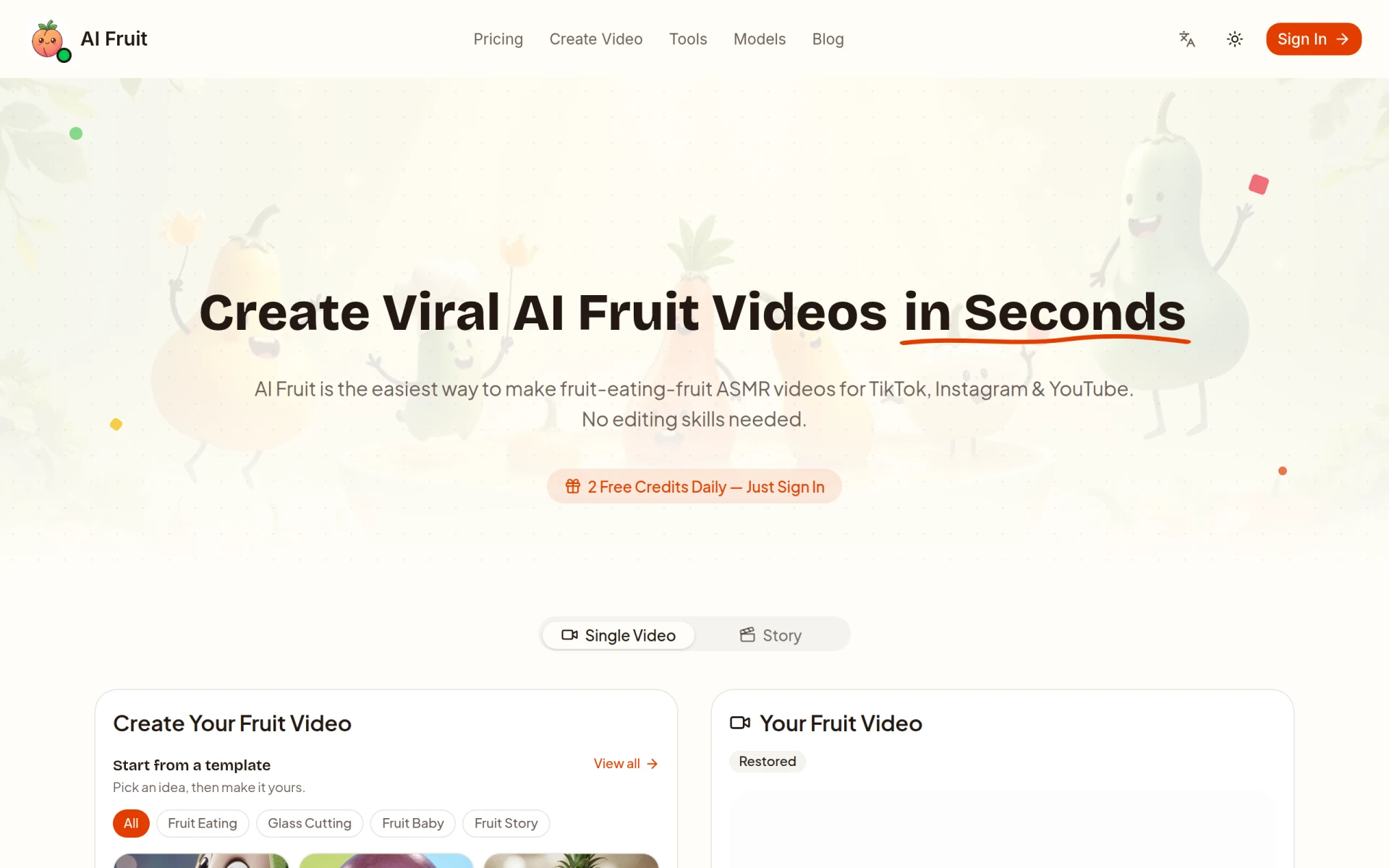 is a unique video editing tool that allows users to create engaging fruit-themed videos quickly and easily, making it an interesting alternative to Kaiber. While Kaiber focuses on music-synced videos, AI Fruit caters to a niche audience looking to create fun and whimsical content for social media. The platform's straightforward interface and variety of themed templates enable users to produce videos with minimal effort, making it an excellent choice for casual creators or marketers looking to add a playful touch to their campaigns. AI Fruit's emphasis on themed content allows users to engage their audience in a lighthearted manner, which can be particularly effective in attracting attention on social media platforms.
Moreover, the platform’s user-friendly design ensures that even those with little to no editing experience can create appealing videos in no time. This ease of use is a significant advantage for users who may not have the time or resources to invest in more complex editing software. While AI Fruit may not have the extensive feature set of tools like Kaiber or Pixo, its focus on themed content and accessibility makes it a valuable option for creators looking to produce engaging videos quickly and efficiently.
- Key Strength: Specializes in themed content creation, making it fun and engaging.
- Key Strength: Easy-to-use interface suitable for casual creators and marketers.
- Key Strength: Quick video production process with minimal effort required.
- Limitation: Limited feature set compared to more comprehensive editing tools.
Pricing: Tiered subscription plans starting at $15 per month for video creation. Best for: Casual creators looking for themed content creation without extensive editing skills.
Pixero - Best for Rapid Video Production
Pixero is an AI-driven video editing tool designed for creating professional videos quickly and efficiently. This positions it as an appealing alternative to Kaiber, especially for users who need to produce high-quality content under tight deadlines. Unlike Kaiber, which primarily focuses on music videos, Pixero offers a streamlined approach to video production, enabling users to create polished videos with minimal time investment. The platform's AI capabilities assist in automating various editing tasks, allowing users to focus more on creativity and less on technical details.
Additionally, Pixero's user-friendly interface makes it accessible for both beginners and experienced editors, ensuring that users of all skill levels can produce impressive results. The platform supports various media formats and provides a diverse range of editing tools, allowing users to customize their videos according to their specific needs. While Kaiber excels in music synchronization, Pixero's emphasis on rapid and efficient video production makes it a valuable option for content creators across different industries. Overall, Pixero is ideal for those seeking a quick and effective solution for video editing.
- Key Strength: AI-driven automation streamlines the video editing process for faster production.
- Key Strength: User-friendly interface suitable for all skill levels.
- Key Strength: Supports various media formats for versatile content creation.
- Limitation: Pricing information is currently not available, which may deter potential users.
Pricing: Freemium model with no public pricing details available. Best for: Users needing rapid video production capabilities.
Creative Reality Studio (D-ID) - Best for Still Image to Video Transformation
Creative Reality Studio is an innovative platform that allows users to create professional videos from still images using text or audio, powered by advanced AI technology. This functionality makes it a unique alternative to Kaiber, which focuses on music-synced videos. Creative Reality Studio is particularly beneficial for content creators who want to animate their still images and convey messages more dynamically. The platform’s ability to bring static visuals to life can enhance storytelling and engagement, making it an excellent choice for marketers, educators, and social media influencers.
Moreover, the user-friendly interface ensures that even those with limited technical skills can produce high-quality videos quickly. By providing tools for transforming images into animated content, Creative Reality Studio allows users to create captivating videos without the need for extensive video editing experience. While Kaiber excels in music video production, Creative Reality Studio’s focus on still image transformation offers a different creative avenue, catering to users looking to enhance their visual content effectively.
- Key Strength: Transforms still images into dynamic videos using text or audio prompts.
- Key Strength: User-friendly interface suitable for all levels of experience.
- Key Strength: Ideal for enhancing storytelling and engagement through animation.
- Limitation: Pricing details are not publicly disclosed, which may create uncertainty.
Pricing: Freemium model with no public pricing details available. Best for: Users looking to animate still images and create engaging videos quickly.
VideoGen - Best for Quick Video Generation
VideoGen is an AI-powered video generator that enables users to create and edit videos quickly and easily. This positions it as a strong alternative to Kaiber, particularly for users who prioritize speed and efficiency in their video production processes. Unlike Kaiber, which focuses primarily on music videos, VideoGen offers a versatile platform that caters to a wide range of video creation needs. The tool's AI capabilities help streamline the editing process, allowing users to generate videos using pre-set templates and custom inputs, making it ideal for creators who want to produce content rapidly without sacrificing quality.
Moreover, VideoGen's straightforward interface ensures that users can navigate the platform with ease, regardless of their editing experience. The ability to create videos quickly makes it an excellent choice for marketers, social media influencers, and businesses looking to maintain a consistent online presence. While Kaiber excels in its niche, VideoGen provides a more generalized solution for video generation, making it suitable for a diverse audience seeking efficiency in their content creation.
- Key Strength: AI-driven video generation streamlines the production process for rapid results.
- Key Strength: User-friendly interface suitable for creators of all skill levels.
- Key Strength: Versatile platform that caters to various video creation needs.
- Limitation: Single pricing plan may limit options for users with different budget needs.
Pricing: Single pricing plan at $16 per month with additional credits available for purchase. Best for: Users looking for quick and efficient video generation capabilities.
Feature Comparison Table
| Tool | Best For | Starting Price | Free Plan | Standout Feature |
|---|
| Kaiber | Music-synced video creation | Freemium | Yes | Music synchronization |
| Videoleap | Intuitive editing | Freemium | Yes | Layer-based editing |
| Clipchamp | Online editing | Freemium | Yes | Built-in stock library |
| Similar Video | AI-powered editing | Freemium | Yes | Automated content generation |
| CapCut | Social media content | Freemium | Yes | Social media templates |
| Argil | Customizable avatars | $39/mo | No | Avatar customization |
| KaraVideo | Fast animated video creation | Freemium | Yes | Text to animation |
| Vid.AI | Simplified video creation | Freemium | Yes | AI editing suggestions |
| Magic Hour AI | Diverse creative tools | $15/mo | Yes | 100+ AI tools |
| HiClip | Short clip creation | Freemium | Yes | AI highlight detection |
| Synthesia | Business video production | $18/mo | No | Multilingual video support |
| Pixo | Professional video editing | Freemium | Yes | AI-powered editing features |
| AI Fruit | Themed content creation | $15/mo | Yes | Fruit-themed templates |
| Pixero | Rapid video production | Freemium | Yes | AI-driven automation |
| Creative Reality Studio | Still image to video transformation | Freemium | No | Image animation |
| VideoGen | Quick video generation | $16/mo | No | AI video generation |
How to Choose the Right Alternative to Kaiber
When considering alternatives to Kaiber, it is crucial to evaluate your specific needs and the type of content you wish to create. If your focus is primarily on music-synced videos, you may want to explore options that offer similar capabilities, such as Videoleap or Similar Video. Both tools provide user-friendly interfaces and features that cater to aspiring musicians and content creators alike. However, if you require a broader range of editing options, tools like Clipchamp or CapCut would be more suitable, as they support various media formats and facilitate easy sharing on social media platforms.
Additionally, consider your level of expertise and the time you can dedicate to learning new software. If you are new to video editing, platforms like KaraVideo and Vid.AI offer simplified processes and AI-driven assistance that can help you produce content quickly without needing extensive editing skills. On the other hand, if you are an experienced editor seeking advanced features, tools like Argil or Pixo may be more appealing, as they provide greater control and customization options for your projects. Ultimately, identifying the right alternative to Kaiber will depend on your creative goals, budget, and the specific functionalities you need from a video editing tool.
Final Verdict
In summary, while Kaiber is an excellent tool for music-synced video creation, several alternatives cater to different needs and preferences. For intuitive editing and social media content, Videoleap and CapCut emerge as top choices. If AI-driven automation is essential, Similar Video and Vid.AI offer streamlined processes for quick video generation. For businesses, Synthesia provides a robust platform for professional video production. By evaluating your specific use case and preferences, you can confidently choose an alternative that best fits your video editing needs.