Overview
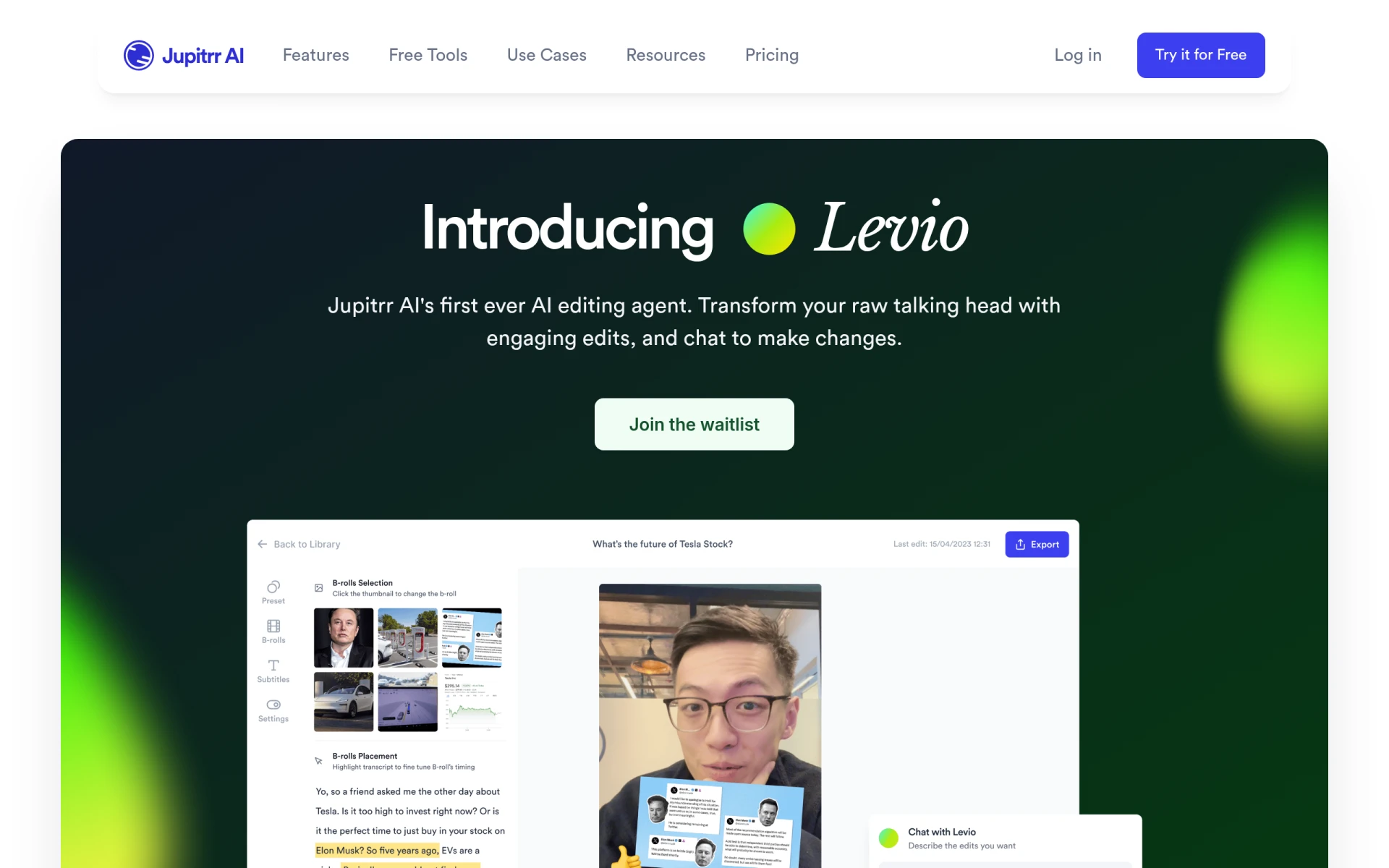
Levio is an innovative AI-driven video editing assistant integrated within the Jupitrr AI platform. Its primary purpose is to facilitate the video editing process by allowing users to communicate their editing needs directly. Levio addresses common challenges faced in video production, such as time constraints, the need for professional-quality edits, and the technical skills often required for effective video editing. By leveraging advanced artificial intelligence, Levio streamlines the editing workflow, enabling users to focus more on content creation rather than the intricacies of video editing.
Key Features
- AI-driven editing assistance
- Automatic generation of engaging video hooks
- Addition of animated subtitles for better viewer engagement
- Integration of B-roll footage to enhance storytelling
- Inclusion of GIFs and emojis to make videos more relatable
- Customizable animations and transitions for a polished look
- Automatic brand logo placement for professional branding
- Background music recommendations to enhance video mood
- Colour grading features to improve visual appeal
- Quick turnaround for edits through text-based commands
Benefits
The practical advantages of using Levio include significant time savings in the video editing process, allowing users to produce content rapidly without compromising on quality. By automating complex editing tasks, Levio enables users—regardless of their technical background—to create professional-standard videos efficiently. This can lead to increased engagement from target audiences, ultimately enhancing the effectiveness of marketing campaigns or content strategies. Additionally, the platform’s ability to adapt to user feedback in real-time fosters a collaborative editing environment.
Common Use Cases
A typical use case for Levio involves content creators who need to produce high-quality videos for social media platforms quickly. For example, a YouTuber can upload their raw footage, request specific edits such as adding transitions or background music, and receive a polished final product in a fraction of the time it would take using traditional editing software. Similarly, marketing teams can utilize Levio to create promotional videos that align with brand messaging while saving on production hours. Freelancers may also find Levio beneficial for delivering client projects efficiently and at scale.
Who Should Use It
Levio is particularly well-suited for content creators, marketers, and social media managers who require quick and effective video editing solutions without needing extensive technical skills. It is ideal for small businesses looking to enhance their digital marketing efforts through video content. However, it may not be the best fit for professional video editors who prefer more granular control over their editing processes or for users with highly specific editing needs that the AI may not fully accommodate.
Pricing Overview
Pricing details for Levio are currently not available, and interested users may need to join a waitlist for updates on access and pricing options.
Conclusion
In summary, Levio offers a compelling solution for users seeking an efficient and user-friendly video editing experience powered by AI. Its ability to facilitate rapid video production while maintaining a professional quality makes it an attractive tool for various users in the digital content space. However, those requiring detailed control over video edits may find it lacking in certain areas. As the platform evolves, it may continue to enhance its features and pricing models to meet a broader range of user needs.